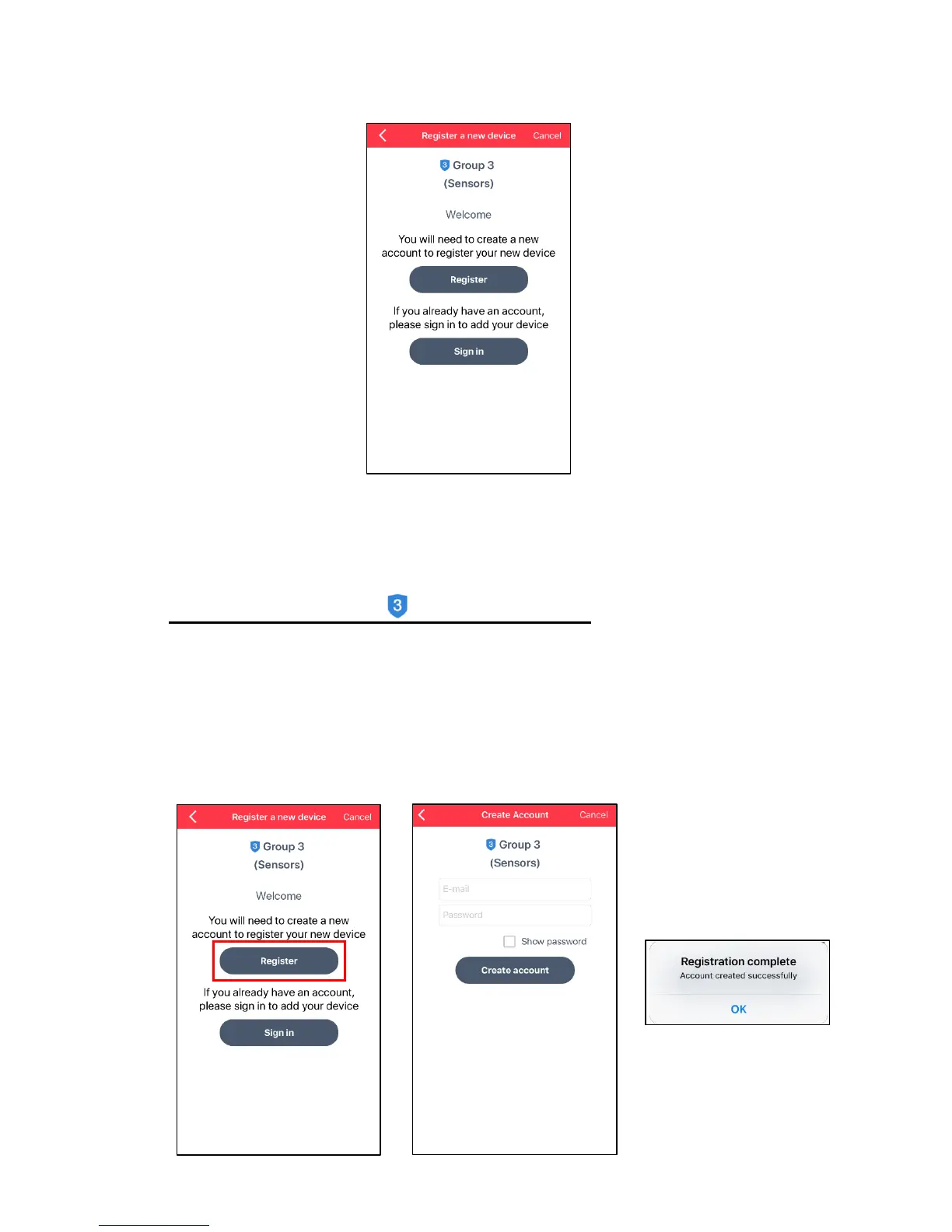
4) The ‘Register a new device’ screen appears.
You can create a new account or if you have already created an account, you can sign
in to your existing account.
NOTE: If you select ‘Cancel’ without signing in or creating a new account, you will not
be able to access your device via the app.
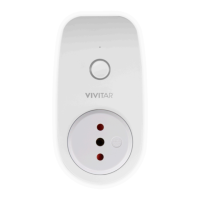
a) Create a New Account - Group 3 – Sensors:
- Tap Register to create a new Smart Home Security account for your selected
device.
- You will be prompted to enter your email and a password for this account.
- Tap Create Account.
- A ‘Registration complete’ window appears showing that your account has been
created successfully. Tap OK to continue.


 To Next Page