68
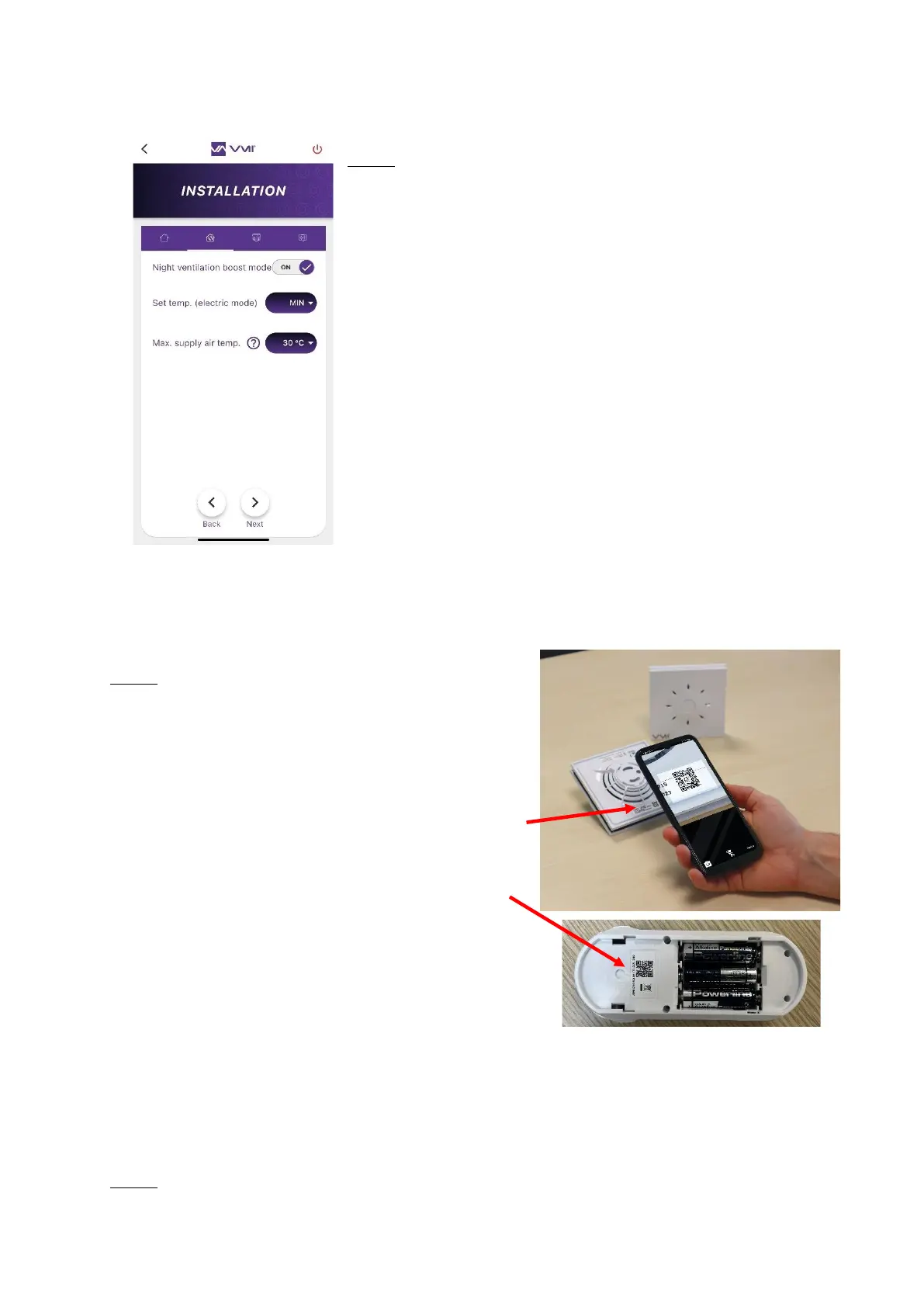
Step 4
• Decide to activate or deactivate the NIGHT VENTILATION
BOOST MODE. If this option is activated, the smart VMI
®
system will automatically increase the ventilation flow if the
outdoor conditions are suitable. E.g. during a sunny winter
day, to increase incoming hot air. Or during summer nights,
to bring in cool air.
• Then fill out the TEMPERATURE SETPOINT field. You can
decide not to activate preheating (= MIN) or select a
preheating temperature between 12 and 18°C.
• Enter the MAX SUPPLY AIR TEMPERATURE. The maximum
temperature before the reduced flow rate is activated. This
temperature must be between 22 and 40°C.
• Click on NEXT to open the control unit configuration page and any sensors.
Step 5: Add peripheral devices
• Click on the ADD A SENSOR button. Your camera
will open and you can scan the QR code on the
peripheral device. The QR code is located:
o At the bottom of the back panel for
sensors
o Under the control unit battery recess
cover.
• Enter the room where the device is installed.
• Repeat for each peripheral device.
The installer can add sensors after installing the VMI
®
unit. Simply log in to the VMI
®
unit again
via the VMI+ app, then select the SENSOR MANAGEMENT tab and follow the procedure
described above.
Step 6: Select the filter renewal period. Enter a value between 1 and 12 months.


 To Next Page