2550 Video Phone User Manual IMT
Page - 24 -
2-3 Network Setup (Web Interface)
You can use the web browser on your computer to configure the IP address of
this phone, which is more convenient. Before you can use web interface, you
must know the IP address of this phone, then use your web browser (ex.
Internet explorer) to connect that IP address, and follow the following
instructions:
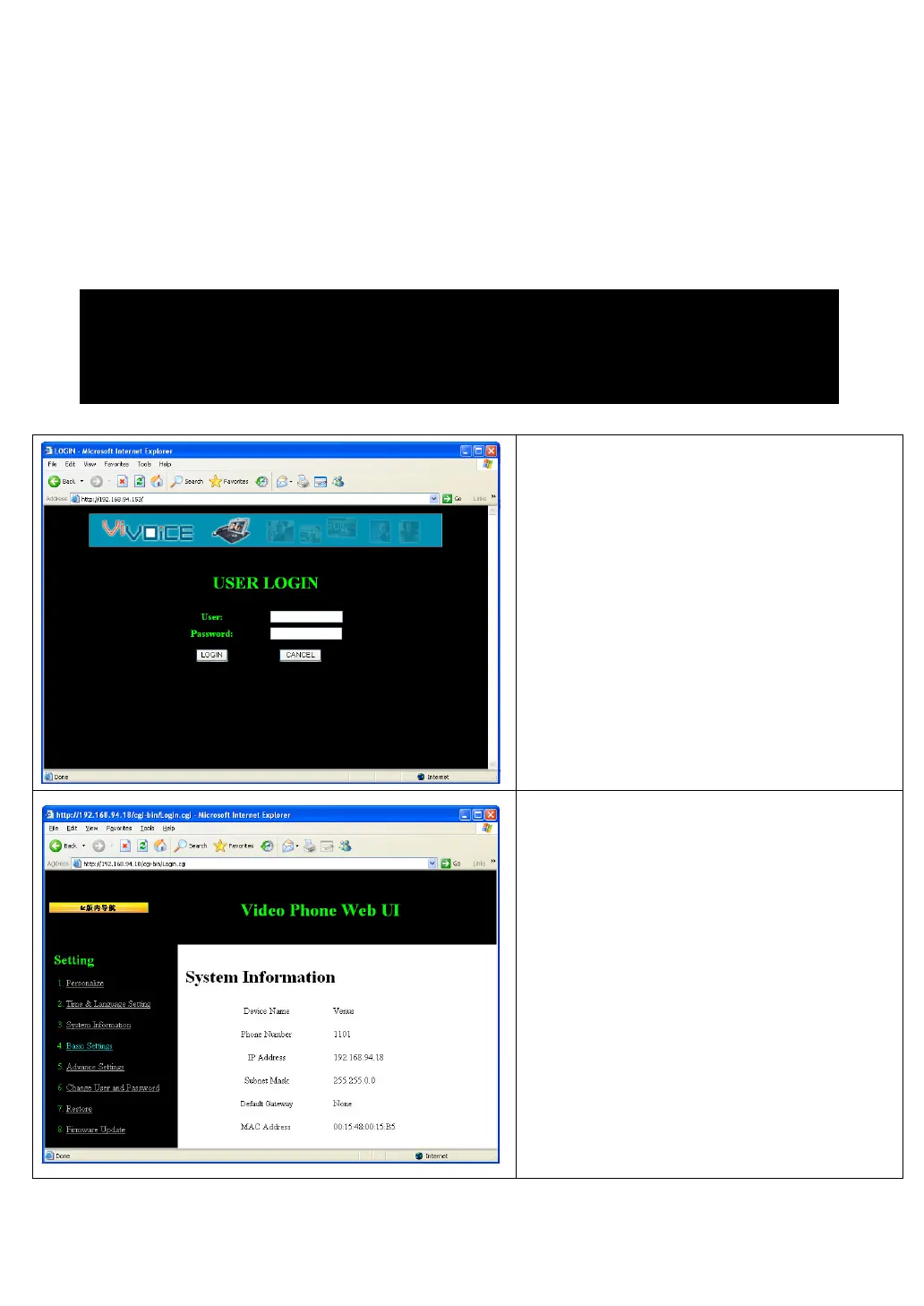
After connected to IP phone, input
username and password and click
“Login” to continue.
Default username and password:
Username: 2550
Password: 123456
Click “Basic Setting” link on the left,
then click “LAN Configuration”.
To check the IP address, please go to “Menu” -> “Settings” -> “Device
Configurations” -> “IP Address”.
(For detailed instructions please refer to last section)



 To Next Page