4.Quick Start
The place to install the fuse
Tilt the signal generator for easy operation
Connect with external USB devices, e.g. USB
stick
Used to connect a USB type B controller. Can be
connected with PC, the signal generator can be
controlled by the host computer software
Power On
(1) Connect the instrument to an AC power source using the power cord
supplied with the accessory.
:
To prevent electric shock, make sure the instrument is properly
grounded.
(2) Press the power button on the front panel. The backlight of the power
channel switch will light up, and the buzzer will sound.
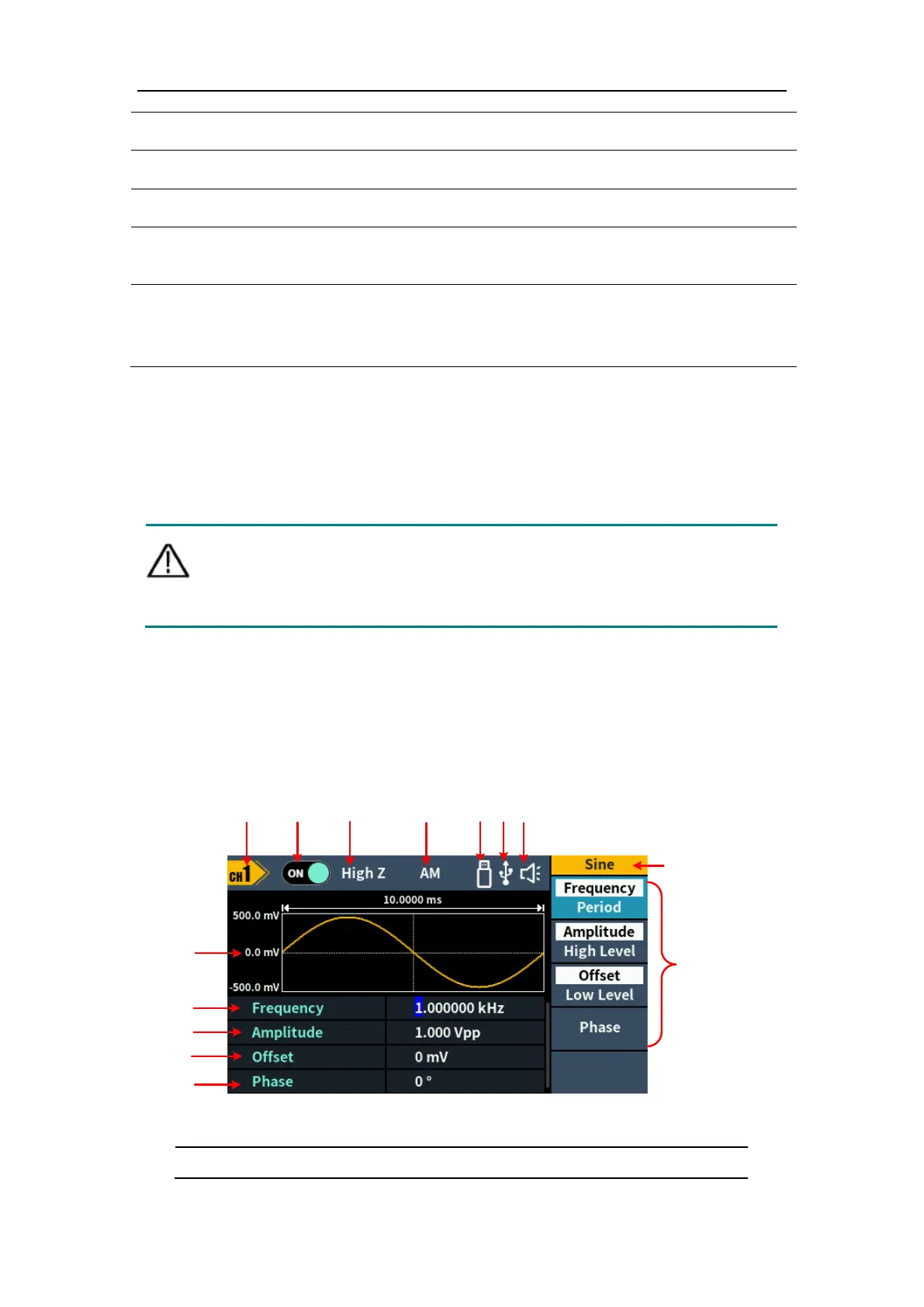
User Interface
Figure 4-3: User Interface
Display channel name



 To Next Page