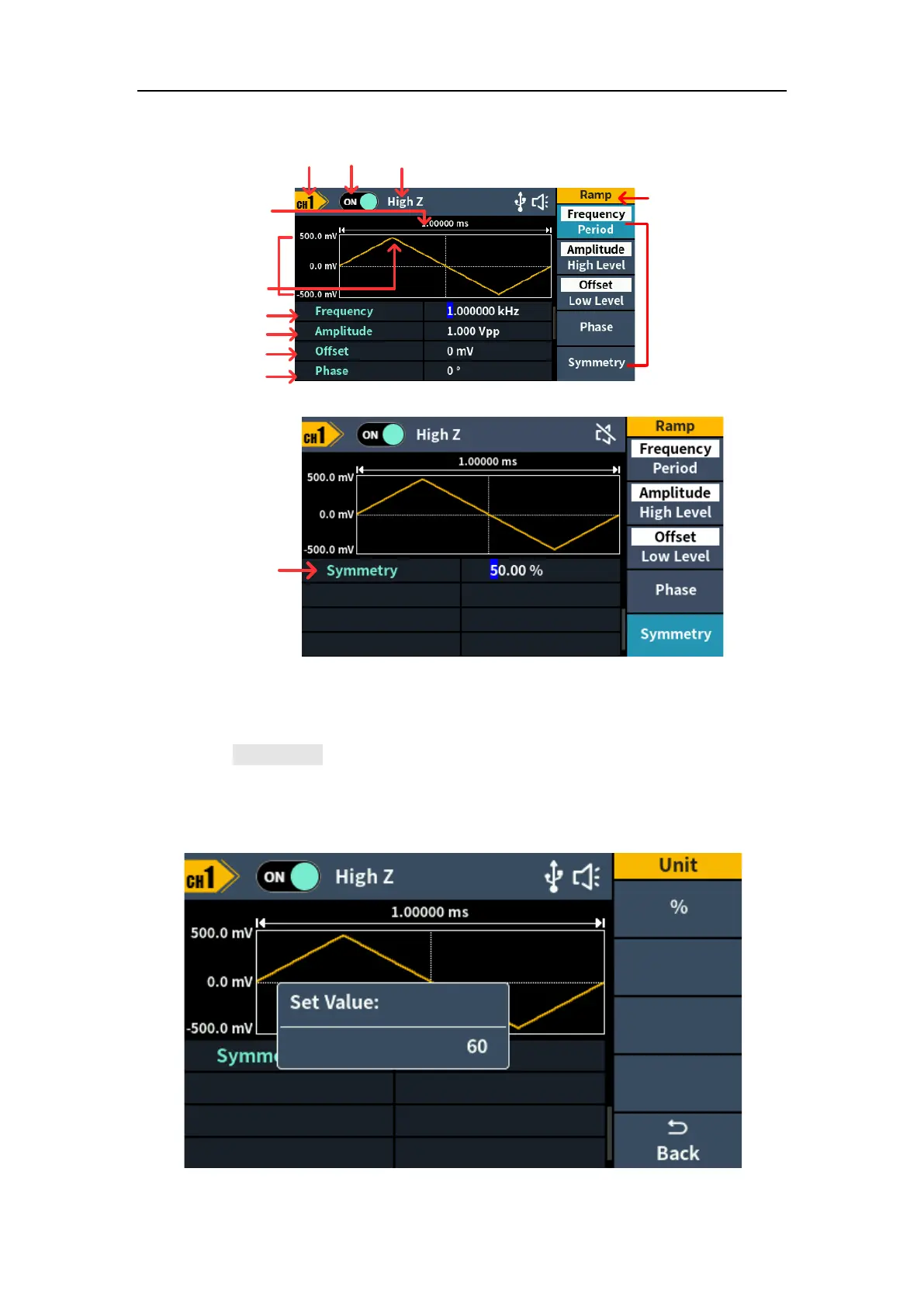
5.Panel Operation
Load
Output
switch
Parameter 1
Parameter 2
Parameter 3
Parameter 4
Ramp
Period
High low - level
Channel
Current
signal
Setting menu of
Ramp signal
Figure 5-5: Ramp wave user interface
Set the symmetry
Press the Symmetry softkey, the Symmetry menu item is highlighted. In
Parameter 5 of Figure 5-5, a blinking cursor appears in the parameter value of
symmetry. Turn the knob to change the value directly, or use the numeric
keypad to input the desired value and choose the unit.



 To Next Page