5.Panel Operation
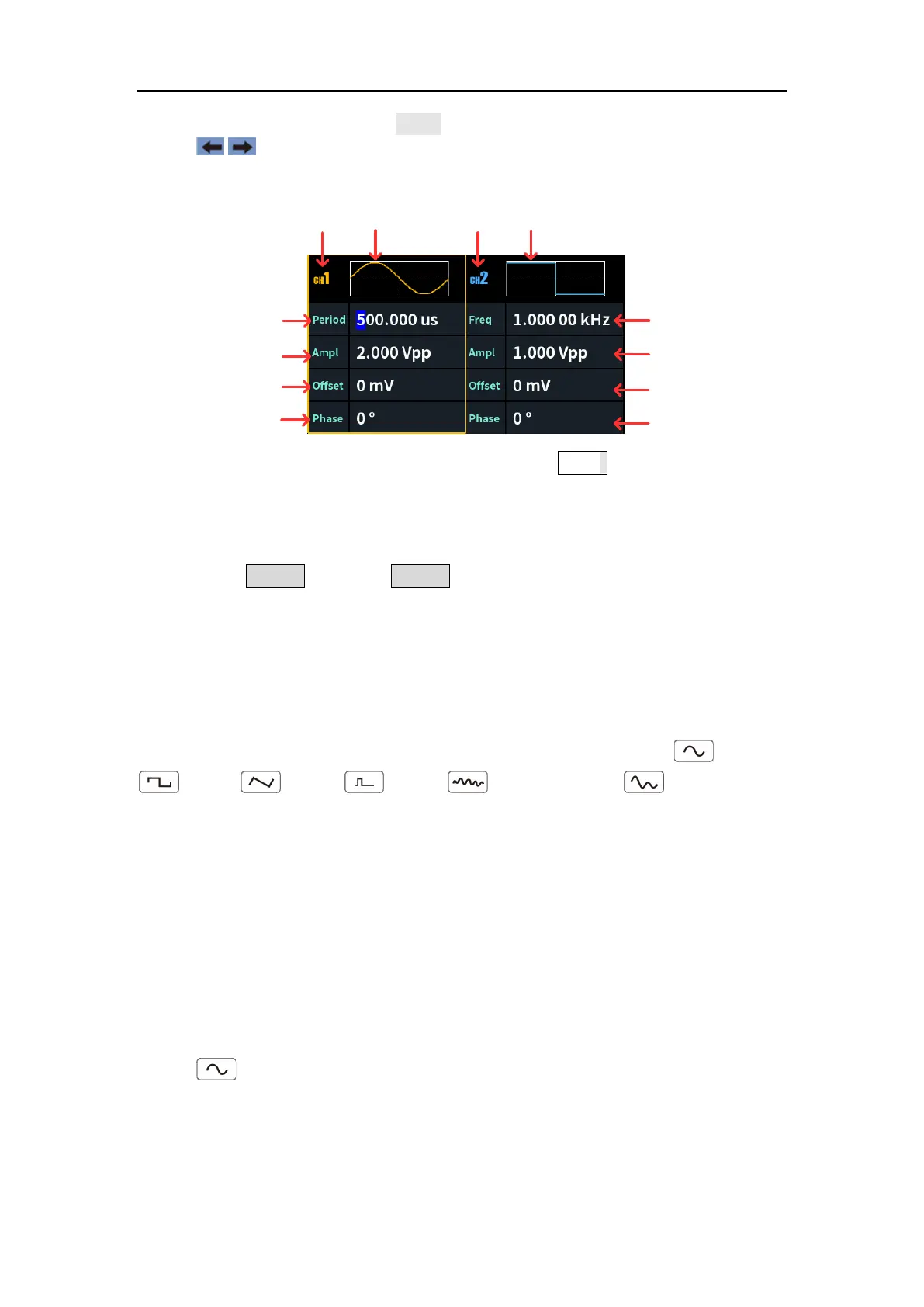
To edit parameter: Turn the knob to change the value of cursor position.
Press / direction key to move the cursor. (The number keys can not be
used to input.)
Parameter 1
Parameter 2
Parameter 3
Parameter 4
Waveform
CH1
Waveform
CH2
Parameter 1
Parameter 2
Parameter 3
Parameter 4
Figure 5-1: The User Interface of (Both) button
Turn on/off channel output
Press CH1 On/Off or CH2 On/Off on the front panel to turn on/off the
corresponding channel output. The channel will light up when it is set to output.
Waveform Setting
Sine, square, ramp, pulse, noise or arbitrary waves can be set and output.
Press the waveform selection button on the front panel: sine , square
, ramp , pulse , noise , arbitrary wave , and enter the
corresponding waveform setting interface. The waveform is different and the
parameters that can be set are different.
Note: The following setting waveform uses CH1 channel as an example.
If you need to set CH2 channel, please refer to CH1 channel specific
operation.
Output Sine Wave
Press , the screen displays the user interface of the sine wave. The Sine
waveform parameters can be set by operating the Sine setting menu on the
right.
The sine wave menu includes: Frequency/Period, Amplitude/High Level,



 To Next Page