5.Panel Operation
(Frequency Shift Keying), 3FSK (Ternary Frequency Shift Keying), 4FSK
(Quadrature Frequency Shift Keying), BPSK (Biphase Phase Shift Keying),
QPSK (Quadrature Phase Shift Keying), OSK (Oscillating Keying), SUM (Sum
Modulation), DSBAM (Double-Sideband Amplitude Modulation).
Press the Mode function key, select the modulation type, to enter the setup
menu. To turn off the modulation, press the Mode function button again.
Note: The following output modulation waveform uses CH1 as an
example. If you need to set CH2, please refer to CH1 operation.
AM (Amplitude Modulation)
The modulated waveform consists of the carrier wave and the modulating
wave. For AM, the amplitude of the carrier wave varies with the instantaneous
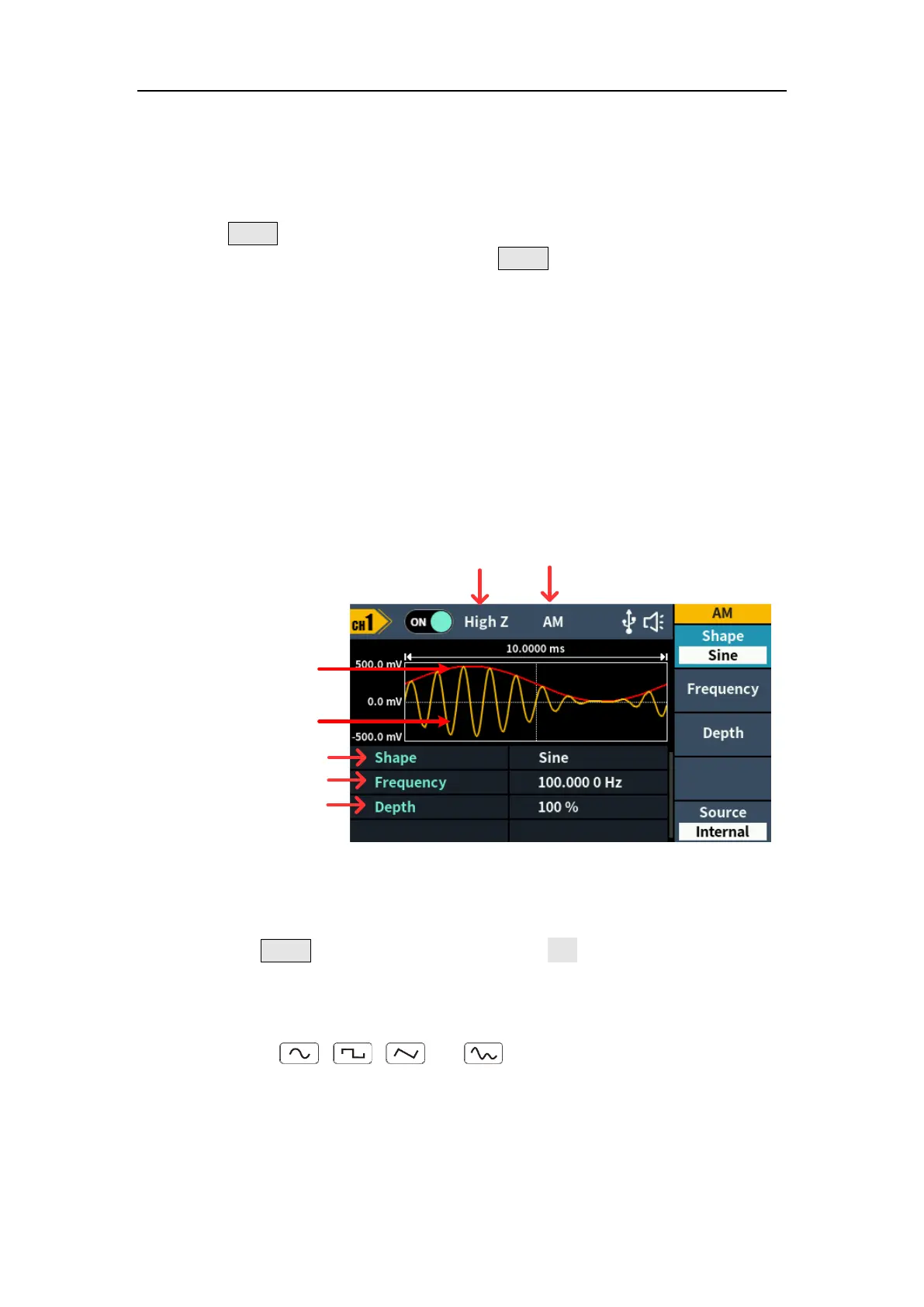
voltage of the modulating wave. The AM user interface is shown below.
Mod
Type
Load
Parameter 1
Parameter 2
Parameter 3
Modulating wave
Carrier wave
Figure 5-14: AM user interface
How to set the parameters of AM
(1) Press the Mode function key, then press the AM softkey to enter AM user
interface.
(2) Select carrier wave shape:
The carrier wave can be Sine, Square, Ramp, or Arbitrary wave (except
DC). Press , , , or to select a desired carrier wave
shape.
(3) Set carrier wave parameters:
Press the wave shape key of the selected carrier wave to display the
waveform and parameters of the carrier wave. You can change the
parameters of the carrier wave. Press the corresponding carrier waveform



 To Next Page