5.Panel Operation
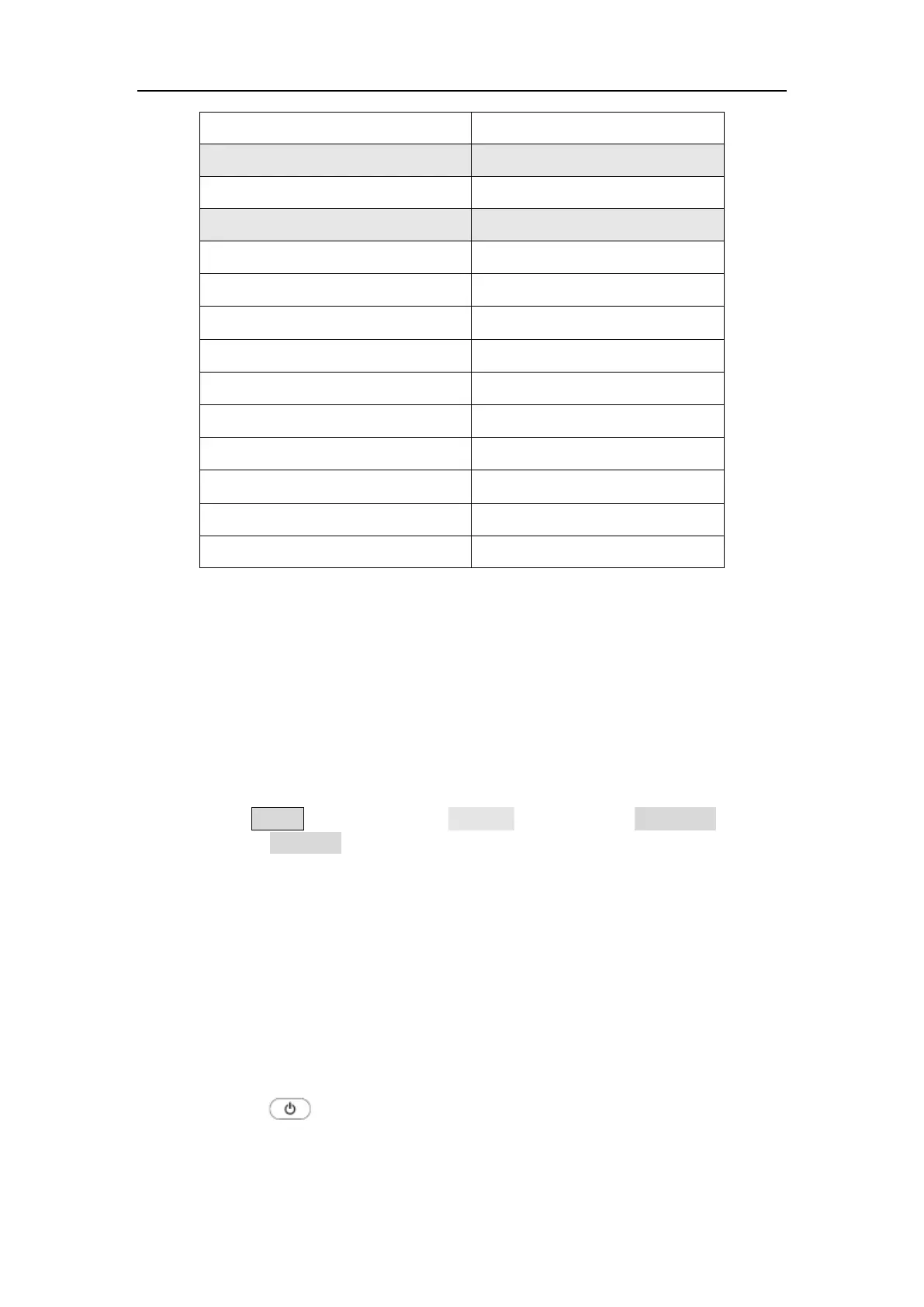
Slope Positive
Counter Factory Setting
High Frequency Reject On
Utility Factory Setting
Backlight 50%
Screen Saver On
Screen Saver Time 30 min
Thousand Separator Space
CH1 load High Z
CH2 load High Z
synchronization Off
USB device PC
Language Factory Delivery Setting
Beeper On
Firmware Update
Use the rear-panel USB port to update your instrument firmware using a
USB memory device.
Caution: Updating your instrument firmware is a sensitive operation, to
prevent damage to the instrument, do not power off the instrument or
remove the USB memory device during the update process.
To update your instrument firmware, do the following:
1. Push the Utility button,press the System softkey,press NextPage to next
page,press Upgrade ,the instrument will have a prompt message.
2. Push the OK button,the external disk icon is displayed on the PC .
3. Visit the company's website on the PC and select the required instrument
firmware upgrade package for the corresponding model. Download the
“ AG. upp “ file in the firmware upgrade package to the PC, and copy the
firmware to the external disk that is displayed.
4. Restart the device. After the device is powered on, the upgrade status is
displayed.
5. After the upgrade, the instrument will shut down automatically.
6. Press the
button to power on the instrument. (Press Utility to
check whether the version is the desired target version)



 To Next Page