4.Quick Start
4. Quick Start
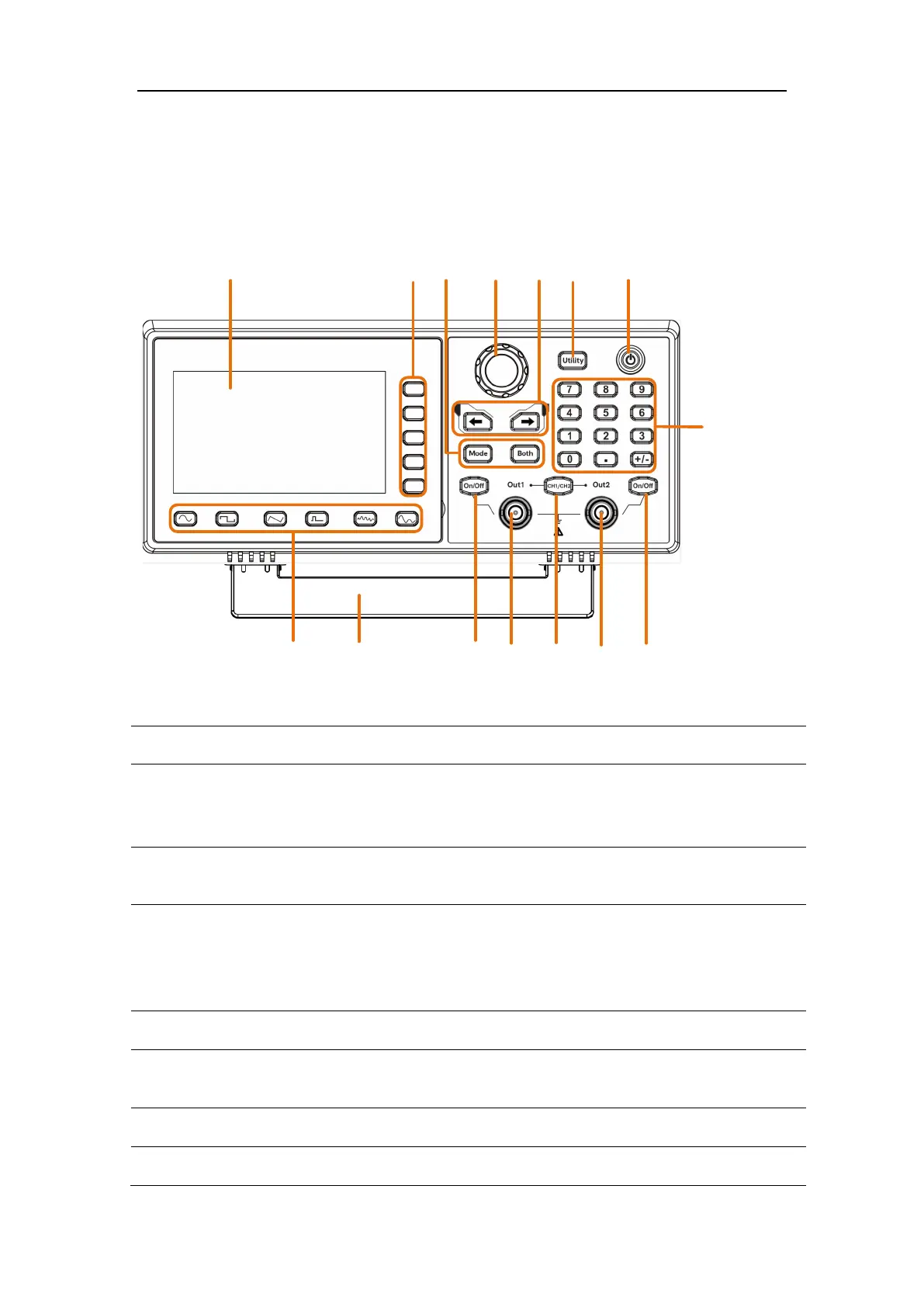
Front Panel Overview
Figure 4-1: Front Panel overview
Display the user interface
selection
Includes 5 keys to activate the corresponding menu
Mode:output the modulated waveform
Both:Display the editable parameters of both channels.
Change the currently selected value, also used to select
the arbitrary waveform types and arb data file name.
When in the sweep or burst manual modes, press this
knob to trigger manually.
Move the cursor of the selected parameter
Turn on/off the waveform generator.



 To Next Page