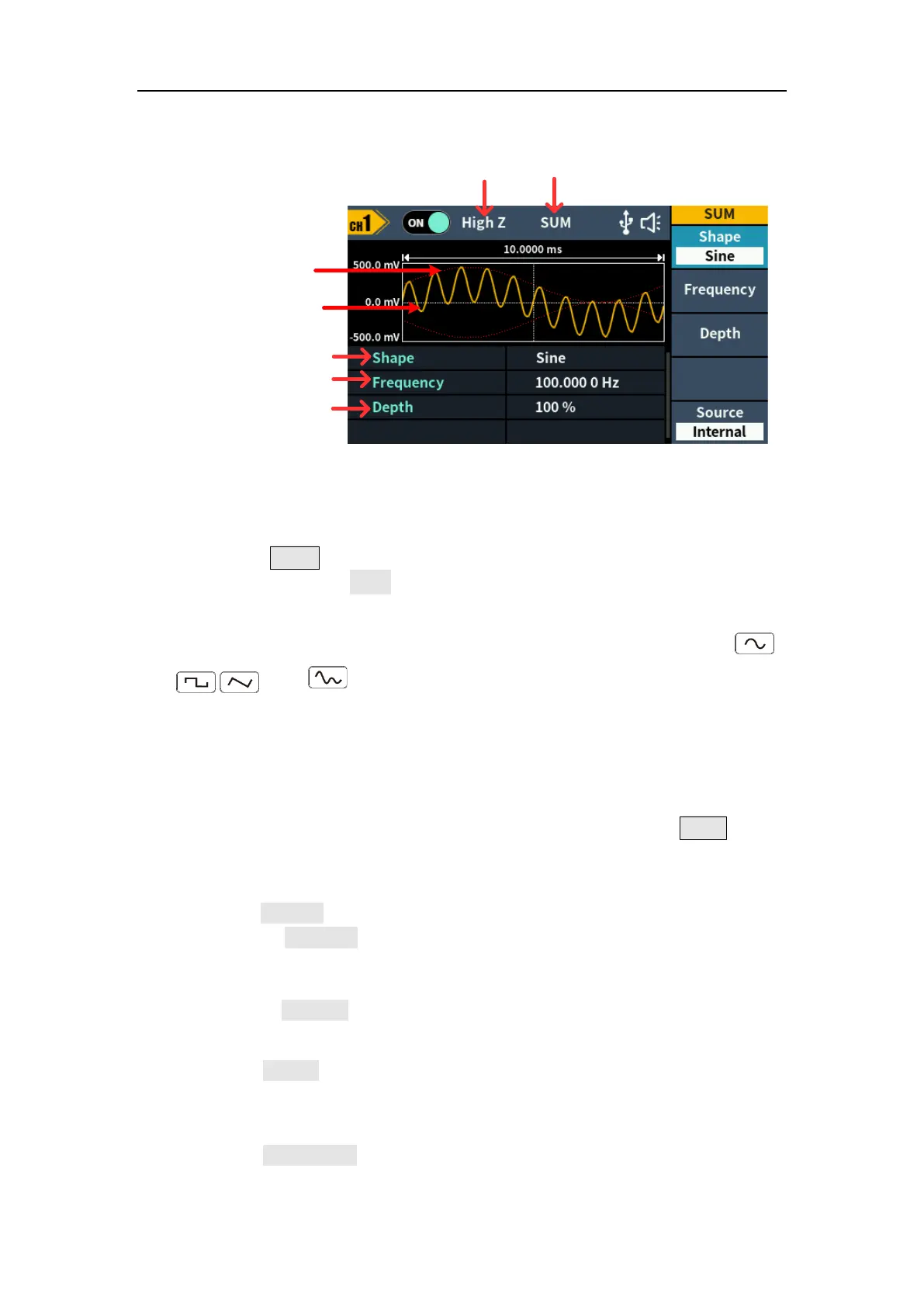
5.Panel Operation
Mod
Type
Load
Parameter 1
Parameter 2
Modulating wave
Carrier wave
Parameter 3
Figure 5-27: SUM user interface
How to set the parameters of SUM
(1) Press the Mode function key,press the NextPage softkey three more
times,then press the SUM softkey to enter SUM user interface.
(2) Select carrier wave shape:
The carrier wave can be Sine, Square, or Ramp. Press ,
, ,or to select a desired carrier wave shape.
(3) Set carrier wave parameters:
Press the wave shape key of the selected carrier wave to display the
waveform and parameters of the carrier wave. You can change the
parameters of the carrier wave. Press the corresponding carrier waveform
key to return to the modulation mode interface or press the Mode key to
return to the modulation selection mode.
(4) Select modulating wave source:
Press the Source softkey to select the modulating wave source.
If you select External, use the Sync/Ext Mod/Trig/FSK connector at the
rear panel to input the external modulating signal, the SUM setting is
completed.
If you select Internal, continue with the following steps.
(5) Select modulating wave shape:
Press the Shape softkey, then press the Sine, Square, Ramp softkey to
select the modulating wave.
(6) Set modulating wave frequency:
Press the Frequency softkey to set the modulating wave frequency. The
range is 2 mHz – 100kHz (for internal source only).



 To Next Page