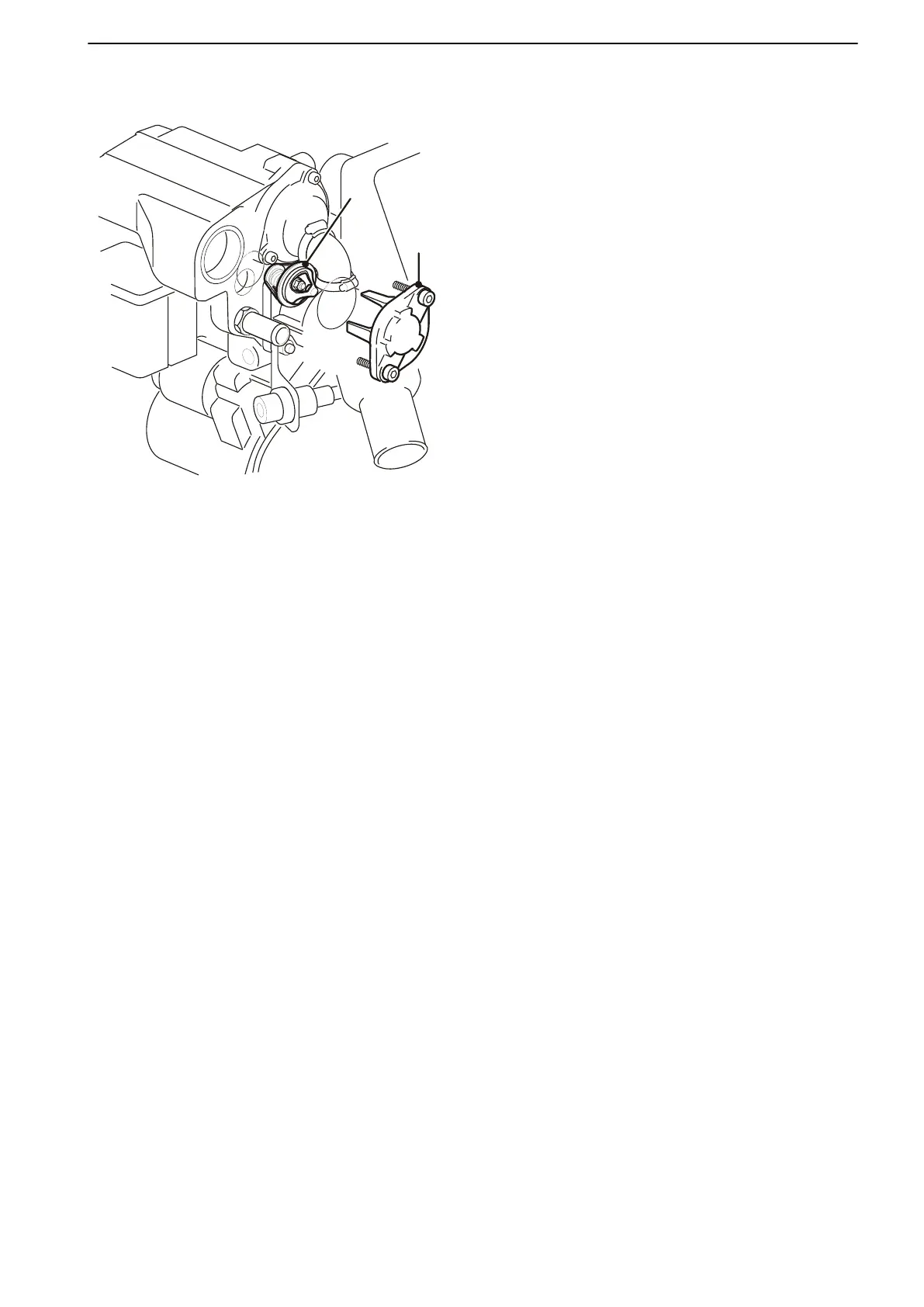
Thermostat, Change
1 Drain the coolant.
Remove the thermostat housing cover (1).
Remove the O-ring from the cap.
Remove the thermostat (2
) and seal.
2 Install a new thermostat and seal.
Install the thermostat housing cover with a new
O-ring. Tighten the screws to the specified tor-
que, refer to Group 26: Cooling System page 22.
3 Fill up with coolant.
Warm up the engine and check the sealing and
coolant level.
26-2 Coolant Pump, Thermostat
47701798 05-2013 © AB VOLVO PENTA 119









 To Next Page