VWR CO2 Incubator Basic | 35
Start-up |
Chapter 5
RS 232 interface connection
The RS 232 interface has been designed for a cable connection with 9-pin connectors and a
contact assignment of 1:1.
Connection of the device:
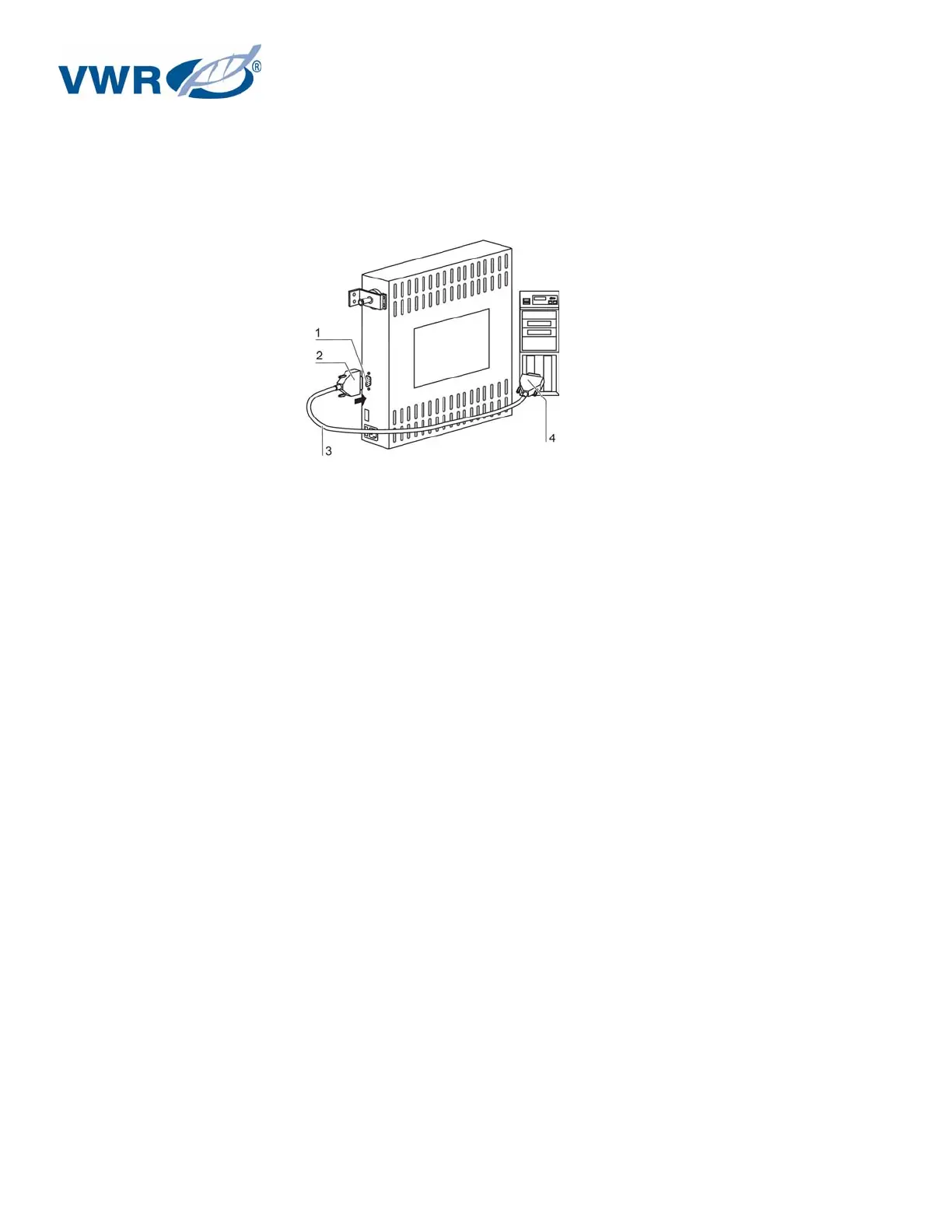
Figure 14 – RS 232 interface
1. Turn PC off.
2. Connect the connector [2] of the serial interface cable [3] (not comprised in the scope of
delivery) to the socket [1] at the supply interface at the rear of the device.
3. Connect the remaining other connector [4] to an unassigned slot COM 1/COM 2 etc. at the PC.
4. Turn PC on.
Transfer protocol:
The interface must be configured as follows:
9600 baud, 8 data bits, 1 stop bit, no parity.
Command sequences:
Data communication is achieved with a defined structure of command sequences (frames).
Frame structure:
<STX | command | data | BCC | ETX>
Command:
Bit 0 - 3 = data field length in byte
Bit 4 - 7 = command
Check sum:
BCC = 1 - complement
(command XOR data XOR ... XOR data N XOR FF
H
)
Command list - Reading control loop data
0110 0001 (61
H
)
Data:
0001 0000 (10
H
) for temperature during incubation operation
0001 0001 (11
H
) for CO
2


 To Next Page