59
Requirements for start-up
8.3 Diagnostic hardware
Diagnostic components for towing vehicle
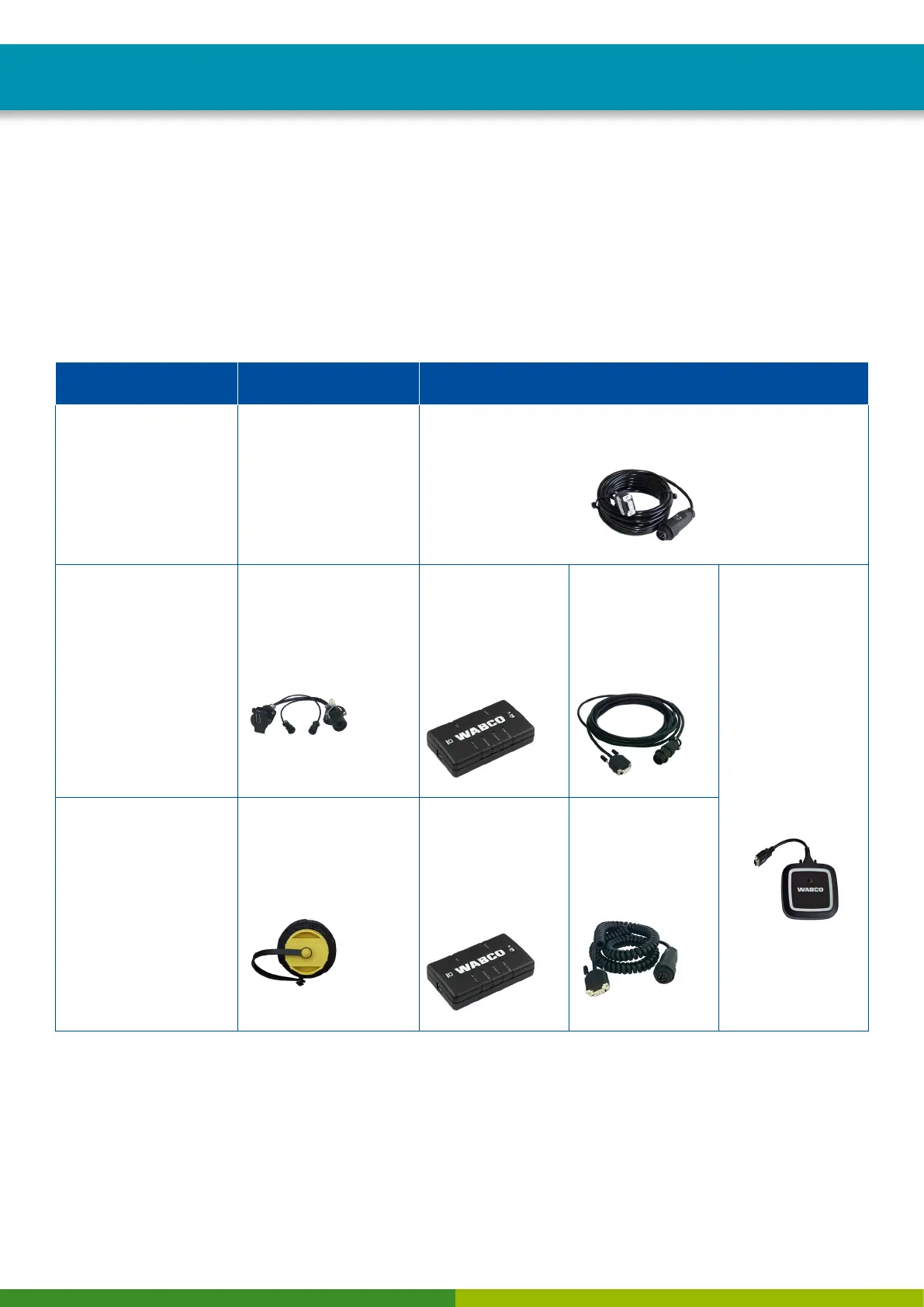
The CAN diagnostic cable (WABCO part number 446 300 348 0) is used for diagnosing towing vehicles.
Diagnostic components for trailers
When carrying out diagnosis on trailers, please extract the WABCO part number of the required
diagnostic components from the chart:
SYSTEM IN TRAILER
VEHICLES REQUIREMENTS DIAGNOSTIC HARDWARE
VCS
ECAS
TEBS before 2004
Depends on system
Diagnostic cable
446 300 329 2
TEBS since 2004
VCS II
ISO 7638 breakout box
with CAN socket
446 300 360 0
Diagnostic
Interface (DI-2)
with USB port
(for connection to
a PC)
446 301 030 0
CAN diagnostic
cable
446 300 361 0
(5 m)
Diagnostic
Interface (DI-3)
with USB port,
Bluetooth and
Wi-Fi
(for connection to
a PC)
300 400 103 0
TEBS E Premium
External diagnostic
socket with yellow cap
449 611 XXX 0
Diagnostic
Interface (DI-2)
with USB port
(for connection to
a PC)
446 301 030 0
CAN diagnostic
cable
446 300 348 0
8.4 Installing the Diagnostic Software
Proceed as follows to put the OptiTire into operation with the Diagnostic Software:
– Make sure that the OptiTire system is installed according to the instructions
(see Chapter "7 Installation", page 41).
– Connect the computer to the vehicle using the diagnostic cable and Diagnostic Interface.


 To Next Page