62
Start-up
Start-up
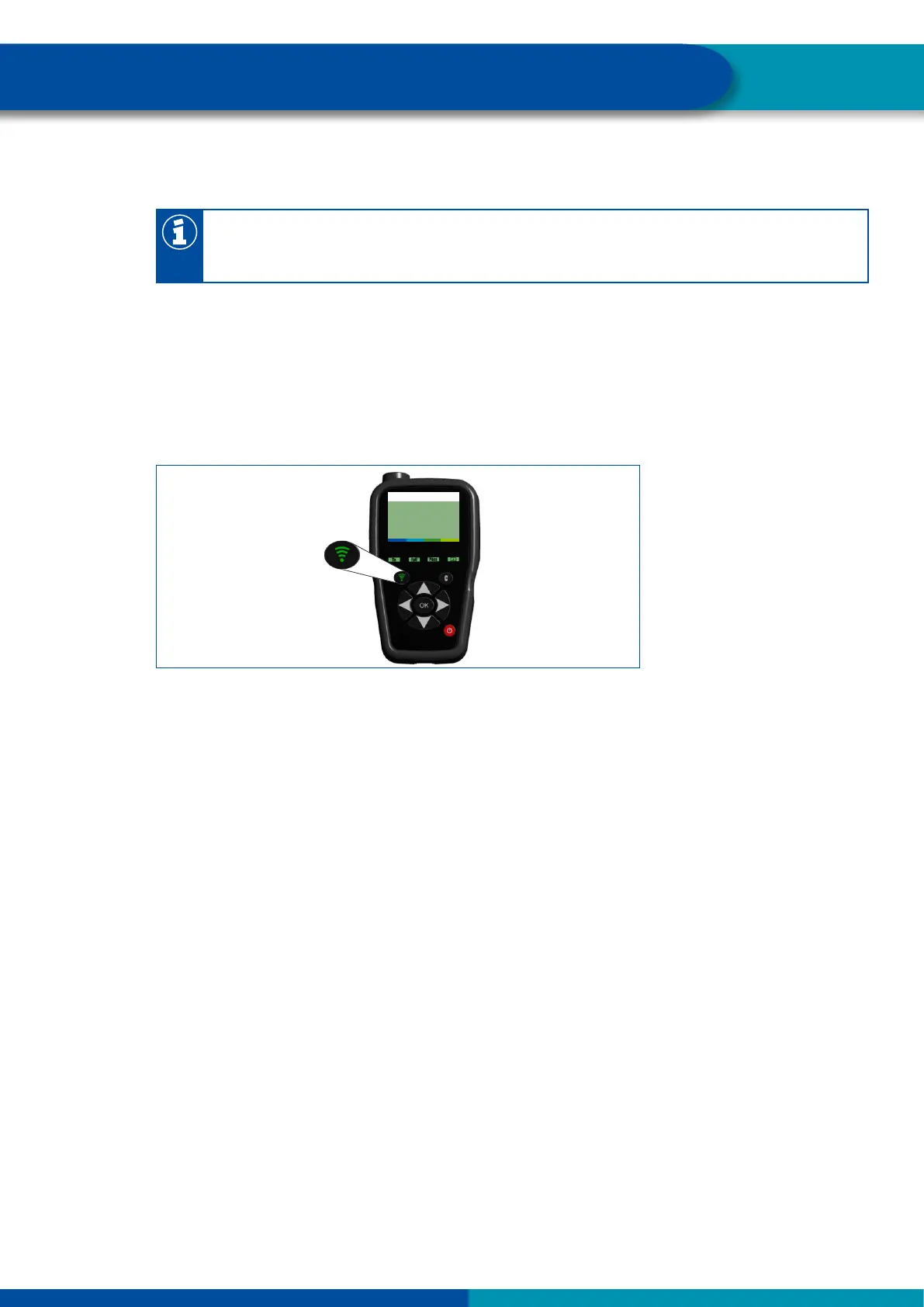
Stimulate the internal sensors (WIS and SMS) with the WABCO TPMS Manager
(WABCO part number: 300 200 001 0)
To use the WABCO TPMS Manager to control the internal sensor (SMS), the latest software
version must be installed on the WABCO TPMS Manager (see Chapter "6.7 WABCO TPMS
Manager", page 39).
– Select an internal sensor (WIS or SMS) from the READ OUT SENSOR menu of the WABCO TPMS
Manager.
– Hold the WABCO TPMS Manager close to the internal sensor, either from the side of the tire
sidewall or from the tread.
The adjacent wheel may interfere with the radio signal, in which case the respective wheel must be
turned.
WABCO TPMS Manager to stimulate internal sensors
9.2.4 Warninglampconguration
– Congure possible warning lamps.
For a towing vehicle ECU, only one external warning lamp can be congured.
For a trailer ECU, two external warning lamp can be congured.
9.2.5 Change ECU address (Trailer Train) (Trailer ECUs only)
For large vehicles and/or a large number of wheels, it is necessary to enable multiple use of OptiTire via
a CAN bus. This option cannot be used in conjunction with TEBS or SmartBoard.
Note the following specications:
Since the CAN source address of the affected ECU changes, the diagnostic connection must be
rebuilt after a change.
In order to avoid interference with the CAN bus, each conguration may only be used once per
vehicle.
For all standard truck and trailer applications, the conguration must be left in the WABCO
delivery state (address CF Hex / 207 dec).
To ensure correct operation of the CAN bus, the rst and the last ECU (incl. display) must be
equipped with a CAN termination (see Chapter "9.2.7 Expert parameters", page 63).
9.2.6 Country-specicadjustments
– In the Diagnostic Software, carry out country-specic adjustments, e.g. indication of bar or PSI, use
of USA radio protocol (FCC), resolution of the tire message.


 To Next Page