11
System description
Display
WABCO offers a driver's display for the dashboard for indicating warning messages and requesting tire
pressure information.
Alternatively the data can also be transmitted to an integrated display, SmartBoard or
TX-TRAILERGUARD
TM
(telematics). Detailed description of the display function in Chapter "10
Operation", page 65.
5.2 Congurationforbusandtowingvehicle
Selection of OptiTire components depends on vehicle type, type and number of wheels and type of
systems connected to OptiTire but not on the vehicle system voltage.
ECU
Trucks, buses or articulated buses are equipped with the ECU (WABCO part number: 446 220 100 0).
Display
In the case of original equipment, the tire pressures are retrieved by a central on-board computer via
CAN and displayed on an integrated display in the dashboard.
If retrotted, the WABCO display (WABCO part number: 446 221 000 0) is used for retrieving the tire
pressures.
Sensors
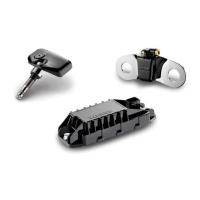
Select sensors, corresponding connection hoses and counterweights according to their axle
conguration.
The table contains components for three vehicle type as examples. You will nd more information in
Chapter "6 Components", page 21.
WABCOBridgecongurator
WABCO offers an online congurator "WABCO Bridge" for the conguration of OptiTire for
different vehicles (towing vehicle, bus, and semitrailer).
– Open the myWABCO website:
http://am.wabco-auto.com/welcome/
Help on logging in can be obtained by pressing the Step-by-step instructions button.
After the successful registration you can use the online congurator WABCO Bridge via
myWABCO to carry out your own conguration of the OptiTire system.
Please contact your WABCO partner if you have any questions.


 To Next Page