67
Operation
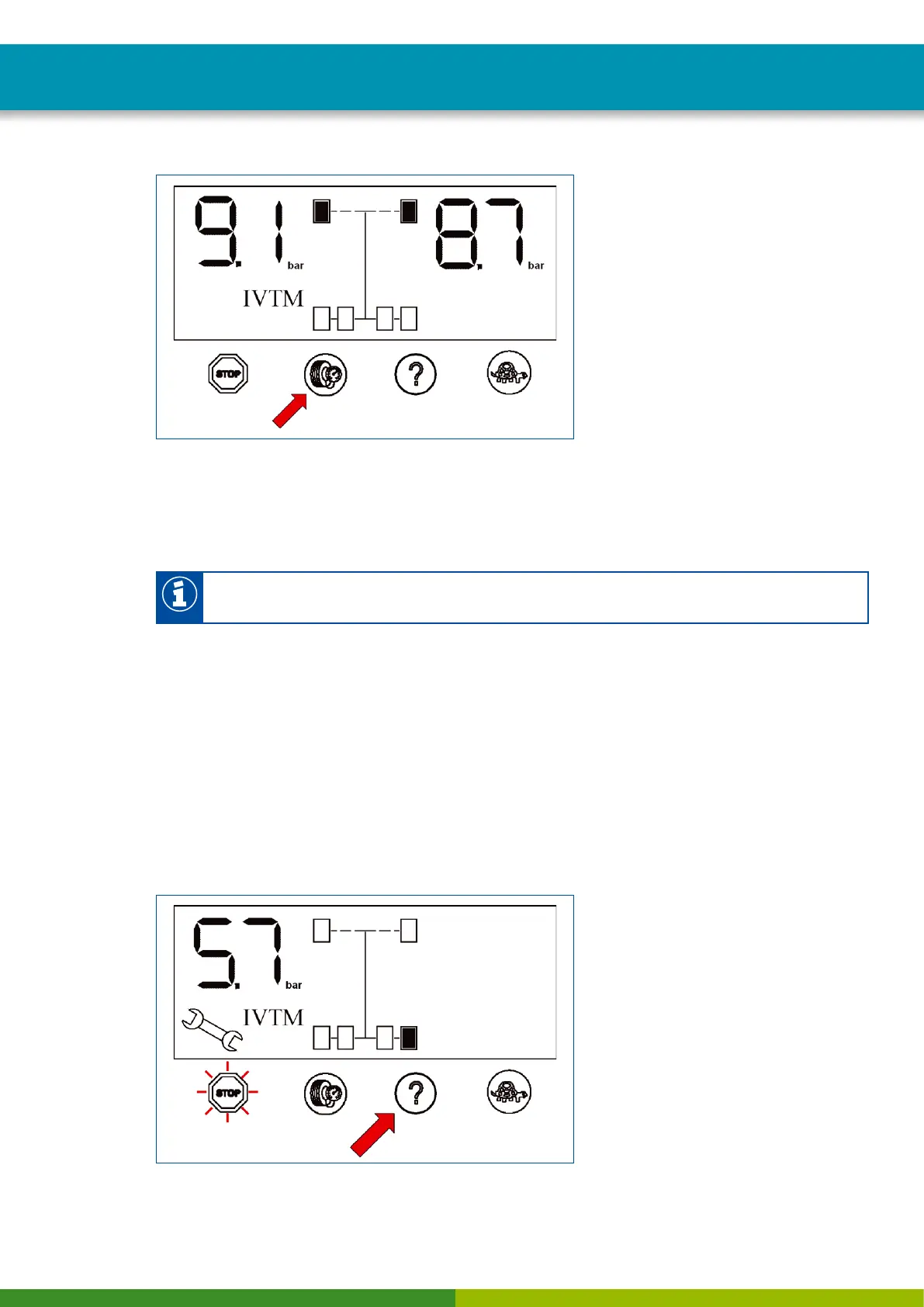
Checking pressure values
– Repeatedly push button with the tire symbol to display pressure values of further axles.
Axles with twin tires have their wheels represented outside and inside one after the other.
– Repeatedly push button with the tire symbol to display the axles of the towing vehicle as well as the
axles of the towing vehicle.
The display will switch back to normal mode if no button has been pushed for a period of 20
seconds.
10.4 Display of faults
When OptiTire detects a fault, an amber or red warning lamp illuminates. Proceed as follows to display
the type of fault on the vehicle:
– Push button with the question mark after the yellow or red warning lamp lights up.
The pressure value of the affected wheel will be indicated and the position on the vehicle is indicated by
a ashing wheel icon.
If no fault is found, the system does not react when the button with the question mark is pressed.
Display of faults


 To Next Page