Create On-screen shortcuts
The following instructions describe how to create a Grid panel or Radial menu.
Note: Pre-configured Pen gestures come installed in Wacom Center on select devices and
do not need to be created.
Create a Grid panel or Radial menu
1. Open Wacom Center.
2. Select On-screen shortcuts in the navigation bar.
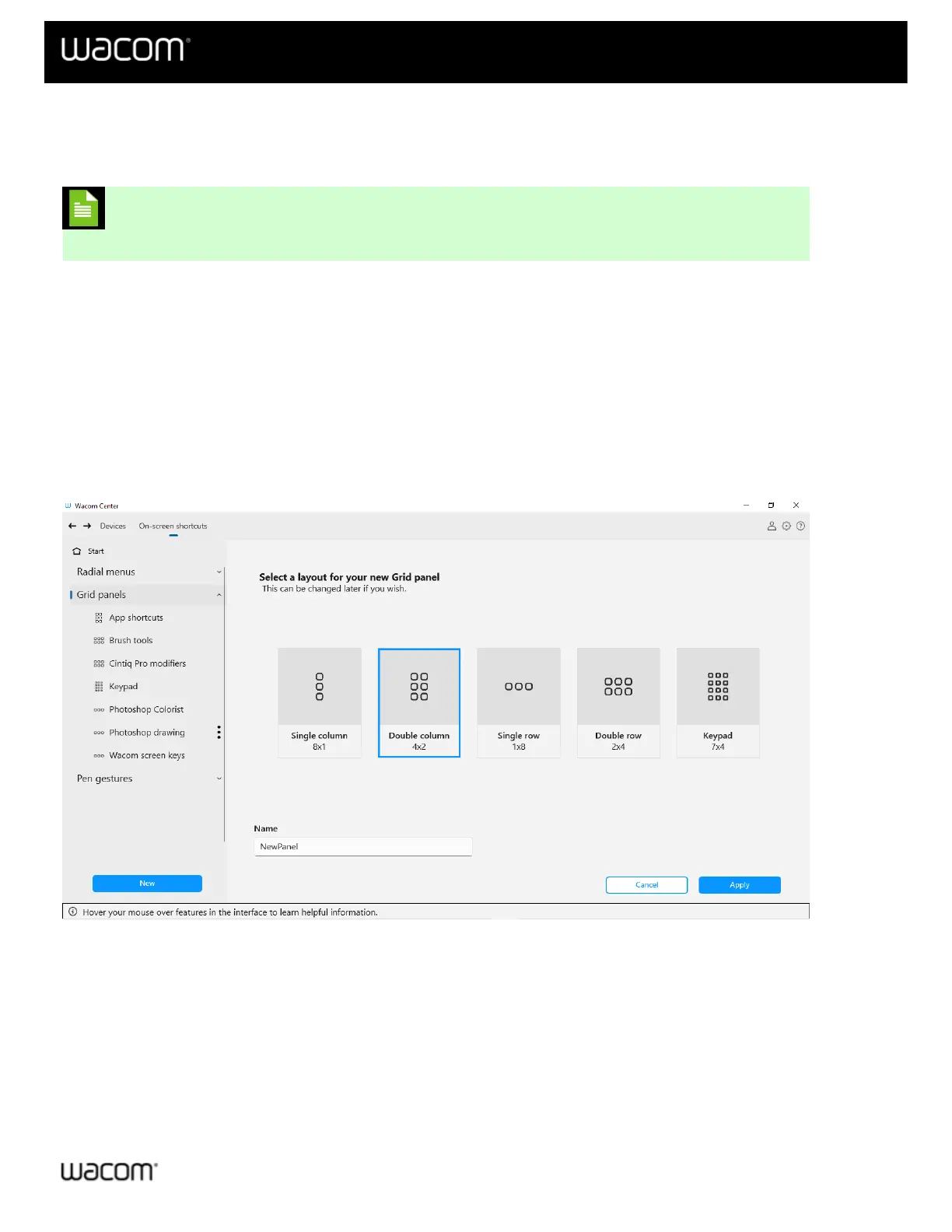
3. In the On-screen shortcuts sidebar, click the New button.
4. Select New Radial menu or New Grid panel.
5. Select a Layout and enter a Name.
6. Click the Apply button to create your new Radial menu or Grid panel. You will proceed to the On-screen
shortcut definition page, where you can Customize your On-screen shortcuts.
The above screenshot is for descriptive purposes; it may not match your screen.
| Do not share my information | Cookies | Terms of use | Privacy Policy | California Privacy















 To Next Page