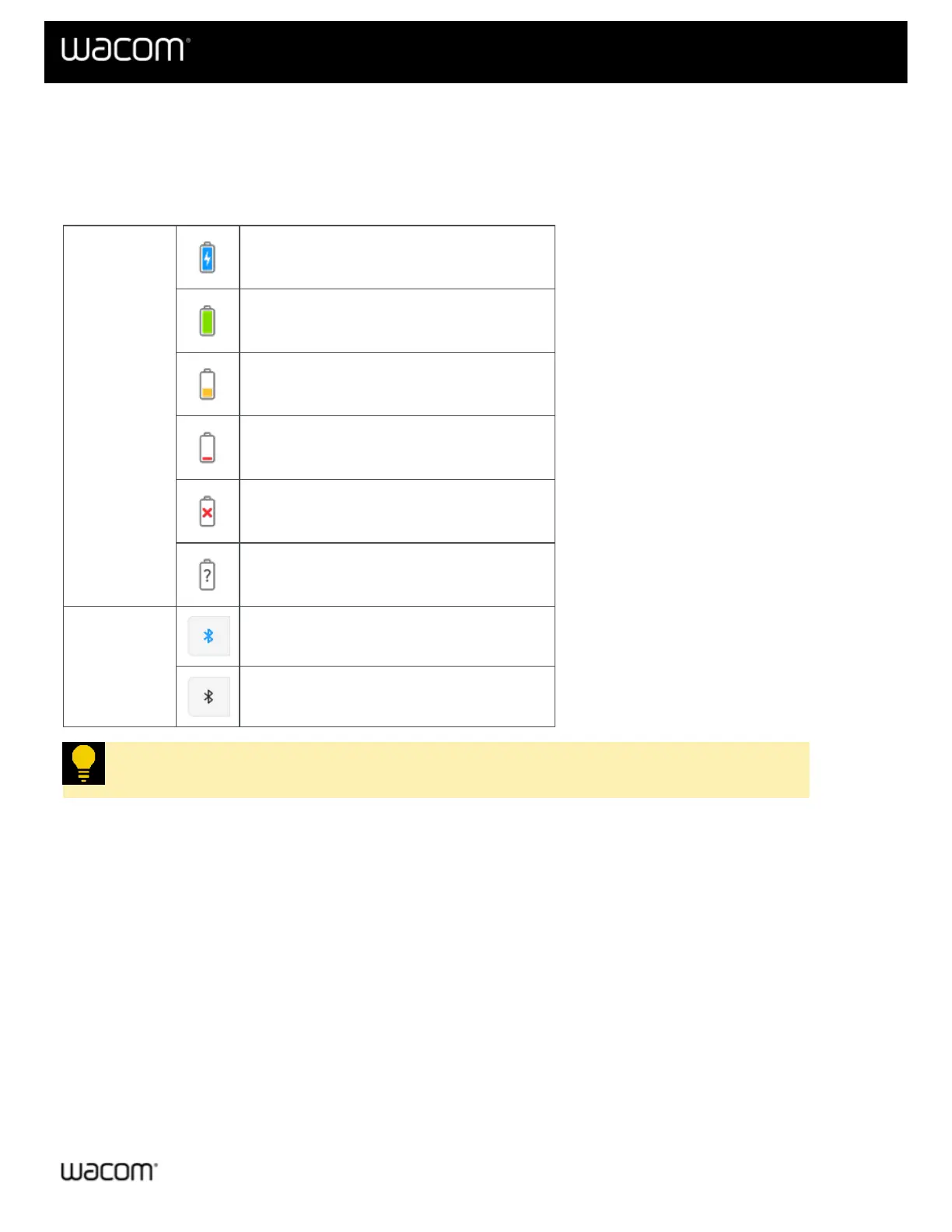
Battery and Bluetooth icon status
When you connect the Wacom One S or Wacom One M to your computer, you will see the Bluetooth and battery
icons on the right side of the main content area in Wacom Center. A guide to the icons follows. See Change the
orientation of the device for a guide to the "orientation" icons.
Battery
Charging
Full power
Note: If a check mark is present, charging is complete.
Low power
Requires charge
No charge
Battery status unknown
Bluetooth
Connected via Bluetooth
Connected via cable
Tip: Click the Bluetooth icon to open connection instructions for your operating system.
| Do not share my information | Cookies | Terms of use | Privacy Policy | California Privacy















 To Next Page