52 Lexa PLUS| Instructions for Use |RIS-311 ENG Rev03 |29/08/2022 |© W&H Sterilization Srl
Sterilization cycles
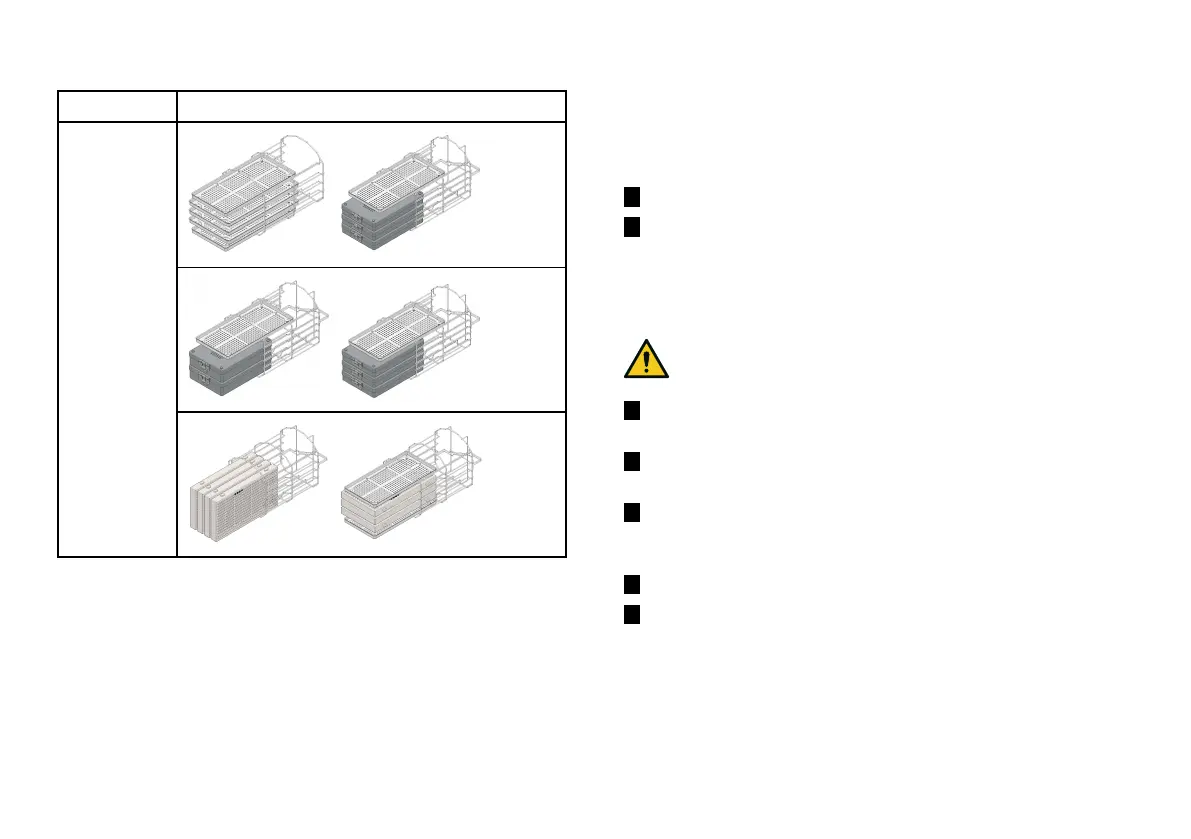
Program Load example
Wrapped
Low Temperature
Unwrapped
Prepare the sterilizer
WARNINGS
Notice: Use only distilled or demineralized water (see "Water quality"
on page100 for technical requirements). Do not add any chemical /
additive to the water.
FILLING THE CLEAN WATER TANK
If no water system is connected you have to fill the tank:
1 Switch the sterilizer ON and open the chamber door.
2 Fill the clean water tank with distilled or demineralized water
until the sterilizer makes a sound. See "Technical data" on
page97for the tank volume.
INSERTING THE CHAMBER RACK INTO THE STERILIZER
CAUTION! Risk of burns. Before touching the chamber rack or
contents, ensure the sterilization chamber is not hot.
1 Open the chamber door and align the chamber rack at the
center/bottom of the chamber.
2 Push the chamber rack gently into position until it clicks into
place.
3 Insert cassettes horizontally or vertically, or insert trays. See
"Load maintenance and preparation" on page49 for load
requirements and "Chamber accessories" on page22.
4 Close the door.
5 Turn the sterilizer ON: after the initialization the homepage
appears.



 To Next Page