54 Lexa PLUS| Instructions for Use |RIS-311 ENG Rev03 |29/08/2022 |© W&H Sterilization Srl
Sterilization cycles
Sterilization cycle management
RUN A STERILIZATION CYCLE
Note: if the user management and the label printer functions are enabled,
you might be requested to enter your PIN code during the following
procedure.
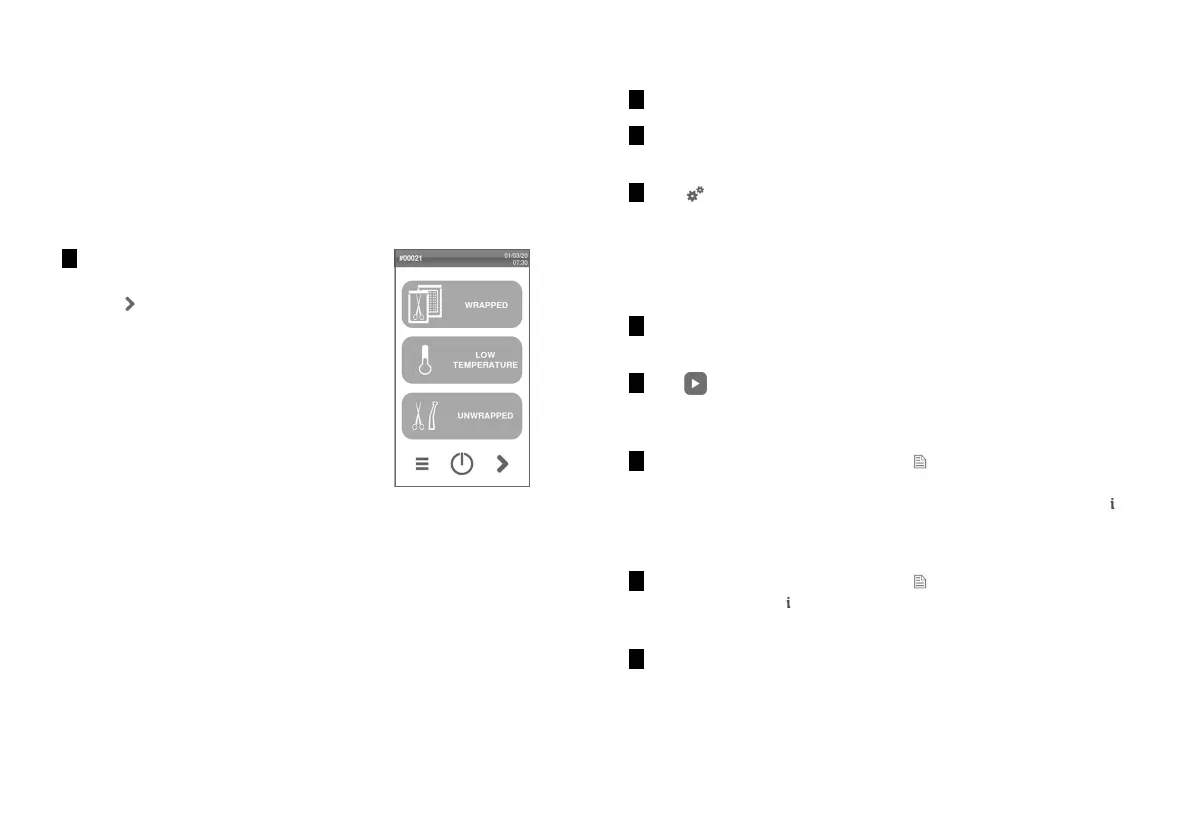
1 On the homepage, tap the desired
cycle.
Tap to display further cycles on
the next page, if any.
2 Check the cycle requirements.
3 Check the icon in the top left corner of the page to know the
ECO DRY mode assigned to the cycle.
4 Tap :
n to change the ECO DRY mode (see "Change the ECO DRY
mode" on page57).
n to disable the ECO DRY mode (see "Set the drying time" on
page57).
5 If the door gasket is new, hold the door gently closed until the
beginning of the cycle.
6 Tap and enter your credentials if required: the door locks. If
you have not set a different start time, the sterilization starts
immediately.
7 The sterilization is completed. Tap to view the cycle
summary (to check the cycles values manually, see
"STERILIZATION CYCLE MONITORING" on the next page) or tap
to view the cycle information. See "View the cycle parameters"
on page57.
8 The sterilization is completed. Tap to view the cycle
summary or tap to view the cycle information. See "View the
cycle parameters" on page57.
9
Tap OPEN: the door unlocks and the homepage appears.



 To Next Page