Lexa PLUS| Instructions for Use |RIS-311 ENG Rev03 |29/08/2022 |© W&H Sterilization Srl 27
Getting started
Operating the sterilizer
POWER THE STERILIZER ON/OFF
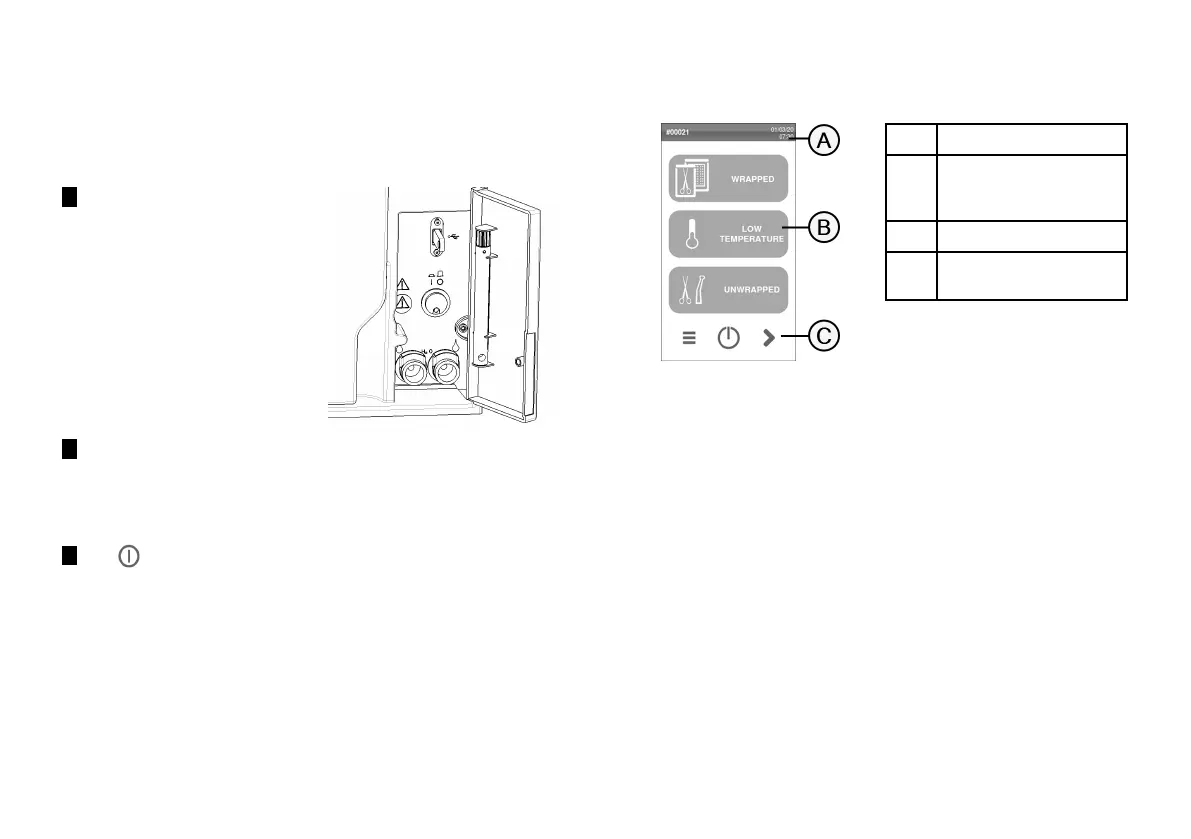
1 Press the power switch behind
the service door: once
switched ON, the visual
indicator on the power switch
turns green.
2 After a quick autotest the sterilizer automatically turns in
Standby mode. See "Standby mode" on page37.
Note: at the first start-up of the sterilizer, the Guided Configuration
procedure automatically appears; see "Sterilizer setup" on page34
3 Tap . The homepage appears with the enabled sterilization
cycles.
HOMEPAGE DESCRIPTION
Part Description
A
Title/purpose of the screen,
or the cycle number and the
current date and time.
B
Available cycles and tests.
C
Additional buttons used to
navigate the menu.



 To Next Page