Location of 2, blue caps, to be removed from the sample-manager chassis
Location of single, blue cap, to be removed from the solvent-manager chassis
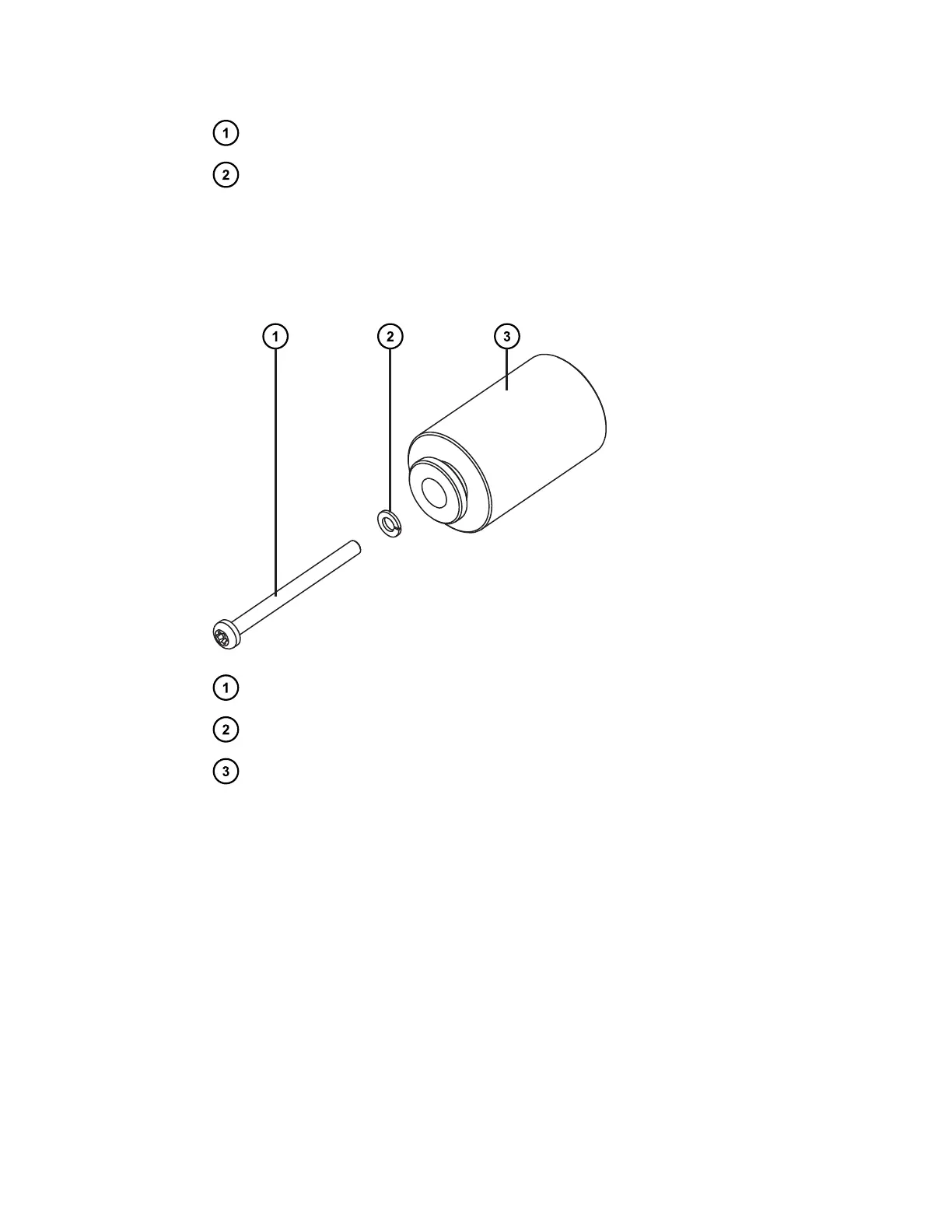
3. From the startup kit, obtain the 3, M4 × 50 screws, lock washers, and standoff spacers.
4. Assemble the standoffs by inserting each of the 3, M4 × 50 screws through a lock washer
and standoff spacer.
Figure 2–2: Assembling the standoffs
M4 × 50 screw
Lock washer
Standoff spacer
5. Thread each of the 3, standoff assemblies into the three, exposed threaded holes on the
right-hand side of the system stack.
December 5, 2017, 715004751 Rev. C
Page 21











 To Next Page