June 28, 2016, 715003956 Rev. C
Page 80
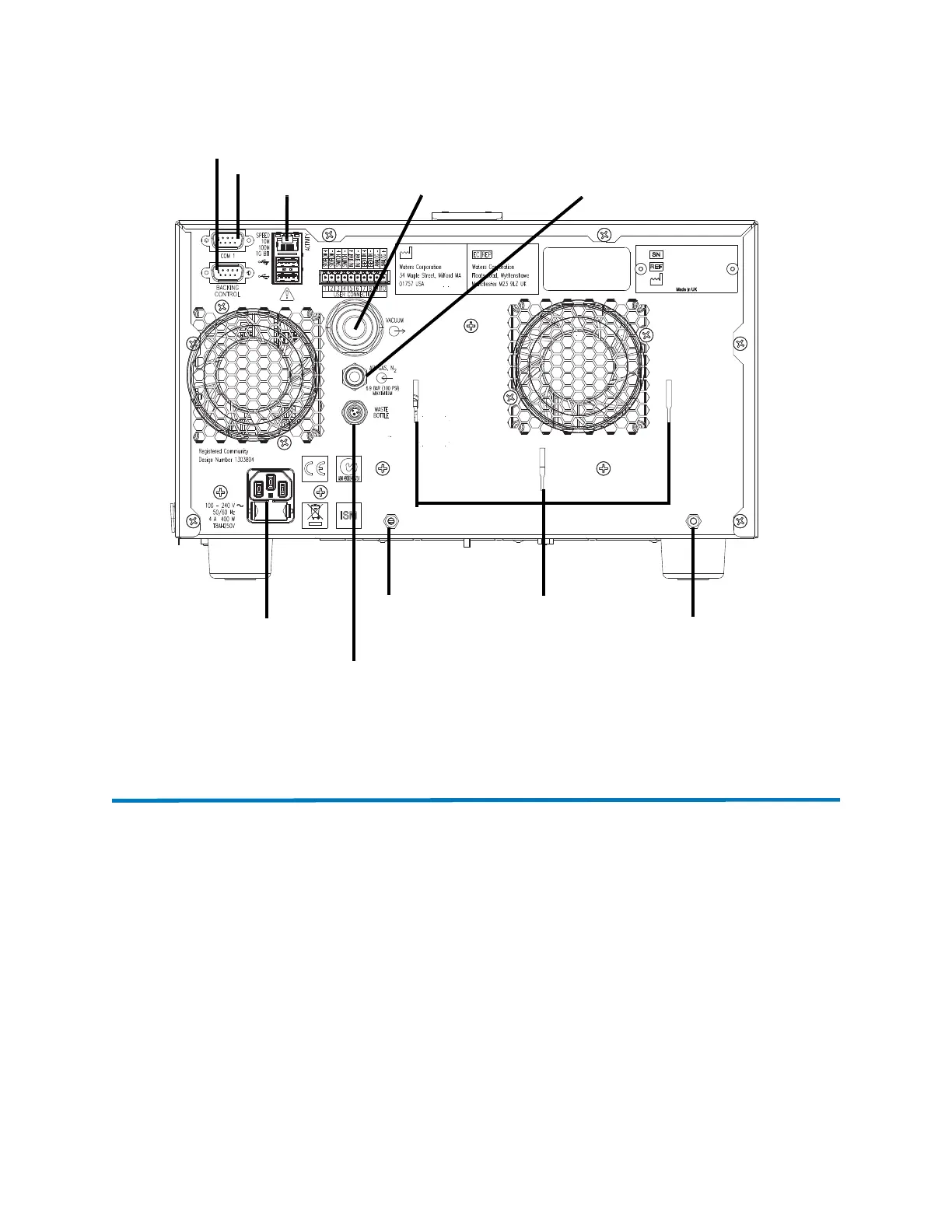
Figure D–1: Rear panel connections
For details of supported system configurations, contact Waters Technical Service.
D.2 Connecting the Standard instrument’s backing pump
The Standard instrument uses a diaphragm pump attached to the back of the instrument.
Note: To connect the Performance instrument’s backing pump, see page 81.
Required materials
• Chemical-resistant, powder-free gloves
• Phillips
®
(cross-head) screwdriver
• Diaphragm vacuum hose (included in the installation kit)
Ethernet cable
Vacuum pump tubing
Waste bottle solenoid connection
Power cable
Nitrogen inlet
Backing pump connector
Diaphragm pump
securing screw
Diaphragm pump
securing screw
Service port
Diaphragm pump
supports



 To Next Page