2-20 Installing the System
2. Stop your chromatographic run (if necessary).
3. Press the On/Off switch on the controller’s front panel to shut down the
system.
4. Shut down the other IEEE-488 devices.
Connecting to the Waters 746 data module
You can use the RS-232 interface to connect the controller to a Waters 746
Data Module. The interface transmits this data using:
• Control commands from the data module to the controller
• Commands and report information from the controller to the data
module
Tip: The interface transmits no chromatographic data.
Connecting the RS-232
To connect the RS-232:
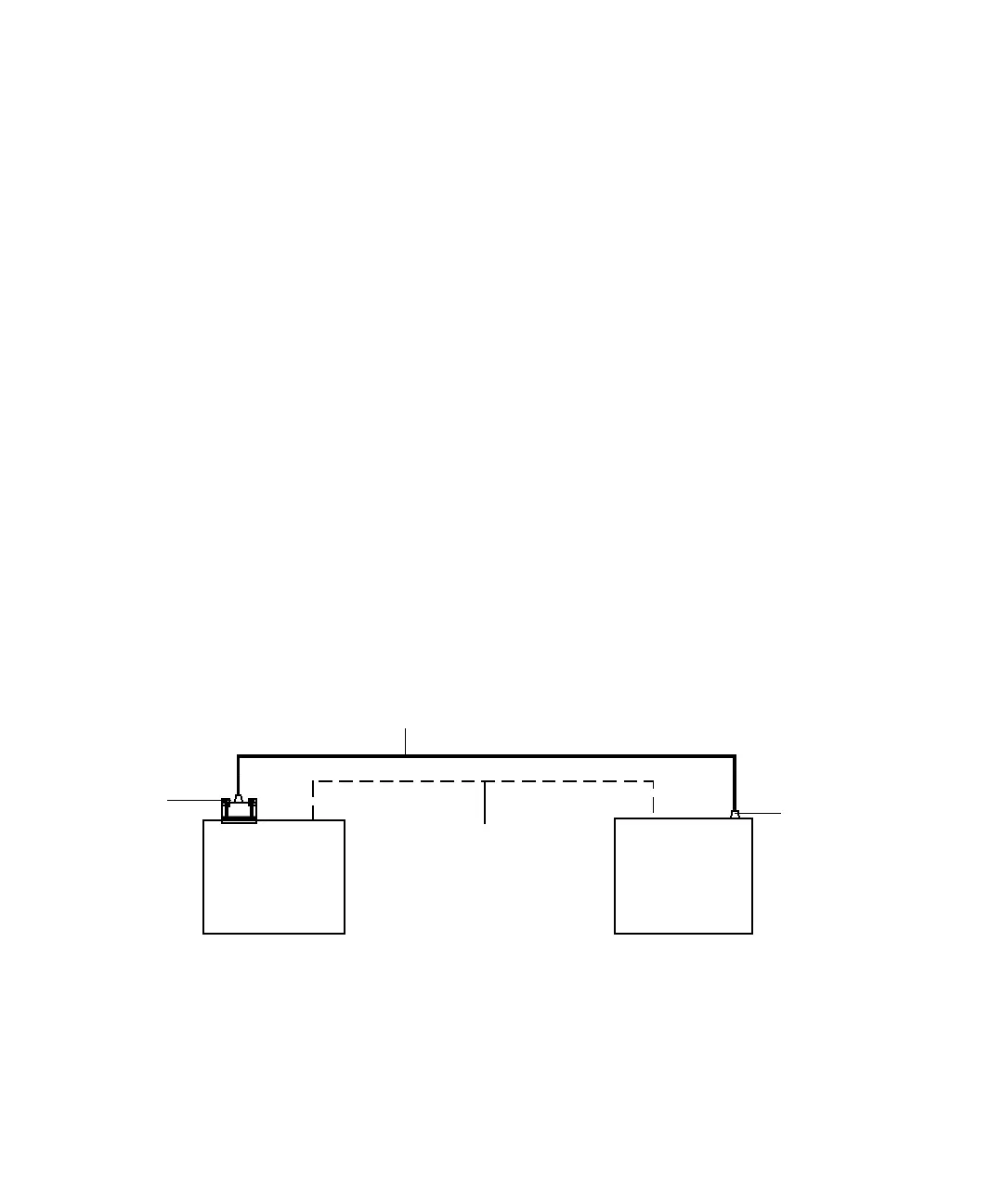
1. Connect the 25-pin connector (provided with the data module) to the
rear panel of the data module.
RS-232 connections with a Waters 746 data module
2. Connect the other end of the cable to the RS-232 telephone jack
connector on the controller’s rear panel.
Tip: When connecting the 746 Data Module to the controller, you must
also attach a cable from the Inject terminal to the 746 to coordinate the
run start signals of the two systems.
746
data module
PrepLC
controller
(as PowerLine
controller)
Run start signal
from inject terminal
25-Pin
connector
RS-232 cable
Telephone
connector












 To Next Page