Setting Master PIN
Setting the Master PIN protects all functionality. The Master is able to selectively enable functionality for
two additional operators. These are defined as User 1 and User 2. They will be able to access this
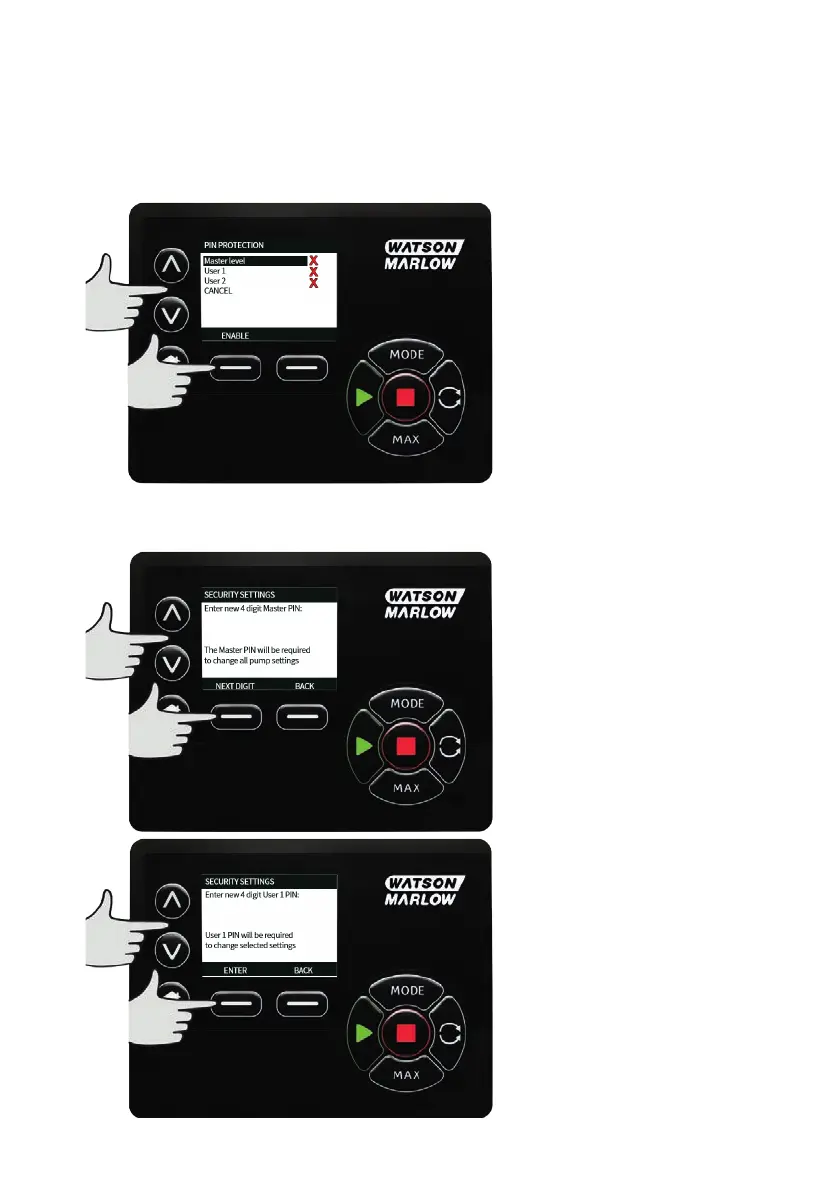
functionality by entering a PIN code assigned to them by the Master user. To set the Master PIN, scroll to
Master level and press ENABLE.
To define a four digit Master PIN, use the ∧ /∨ keys to select each digit from 0-9. Once you have the
required digit press the NEXT DIGIT key. After selecting the fourth digit press ENTER.
m-630un-en-08 131


 To Next Page
 Loading...