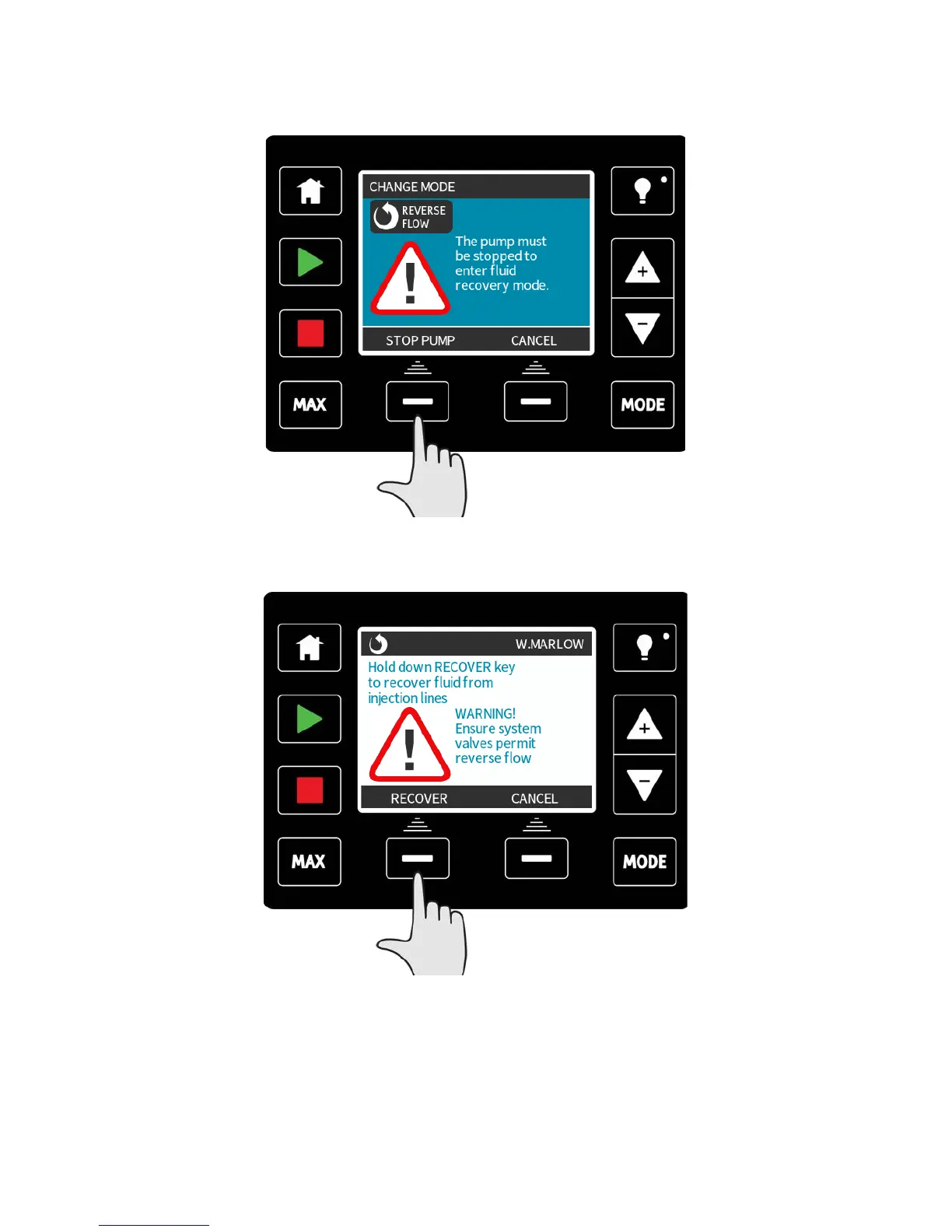
If the pump is already running then the following screen will be displayed. The pump must
be stopped before it can be reversed to recover fluid. Press STOP PUMP.
An instruction is now displayed. There is a warning to ensure that your system design
permits reverse flow. If unidirectional valves are installed then reverse flow will not
function and the pump will build up excessive pressure within the pipework.
Press and hold RECOVER to start running the pump in reverse and recover fluid. The screen
below will be displayed whilst RECOVER is held down. As fluid is recovered the volume
recovered and time elapsed will increase.
m-qdos-en-02 81


 To Next Page
 Loading...