Pump label
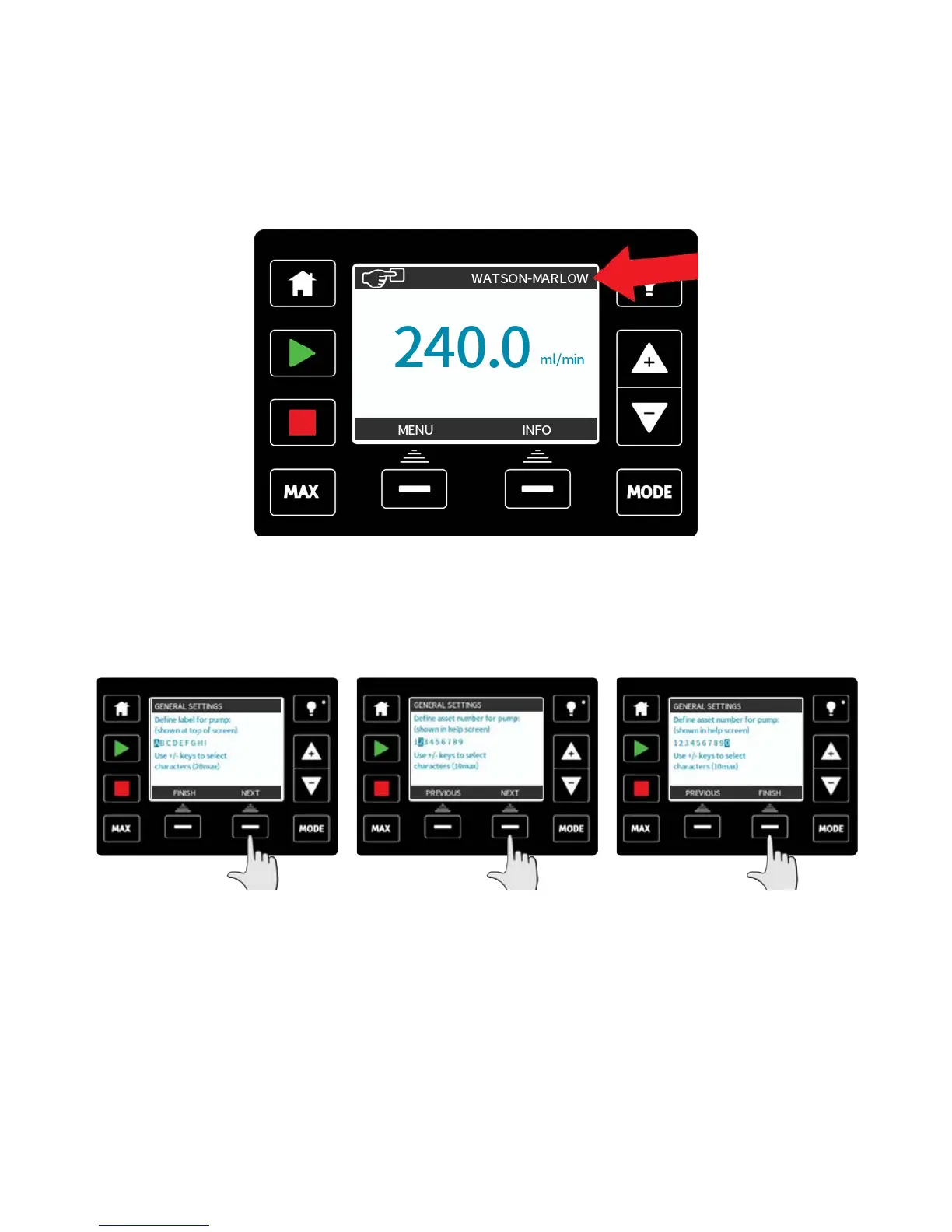
The pump label is a user defined 20 digit alphanumeric label which is displayed in the
header bar of the home screen. To define or edit the pump label, move the selection bar
over the pump label menu entry and press SELECT. If a pump label has been previously
defined, this will be displayed on screen to allow editing, otherwise it will display the
default label “WATSON-MARLOW”.
Use the +/- keys to scroll through the available characters for each digit. The available
characters are 0-9, A-Z, and SPACE.
Press NEXT to move onto the next character, or PREVIOUS to move back to the last
character.
Press FINISH to save the entry and return to the general settings menu.
m-qdos-en-02 95











 To Next Page