4.3. External connections
4.3.1. USB
A USB to USB-C cable is delivered with the SMP3. After installing the SMP3
software (first install the software see 8.1) just plug the cable to the SMP3
and to the computer. You will be able to download stored measurements to
the computer or update the SMP3 firmware.
Note: it is not recommended to perform measurements while the USB is connected, it
could affect the quality of the readings.
4.3.2. Fibre optic
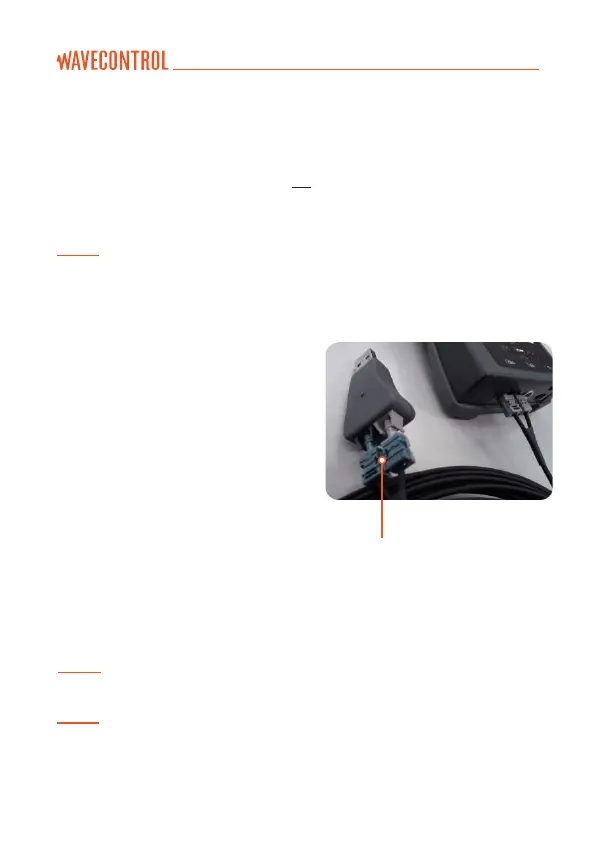
A fibre optic link is available as an
option in order to remotely control
and see live readings of the
instrument from a PC without
interfering with the measurements.
To connect the fibre optic link:
• Plug the fibre to the SMP3 (respect
the colour code, grey side
is looking up).
• Plug the fibre to the USB to fibre
converter (respect the colour code).
• Plug the USB of the converter
to the PC.
Breakable part (see Note 2)
Note 1: no need to install additional software, everything has been already installed
with the main software.
Note 2: in case the connector does not fit into a small waveguide, you can break the
connector in 2 parts.



 To Next Page