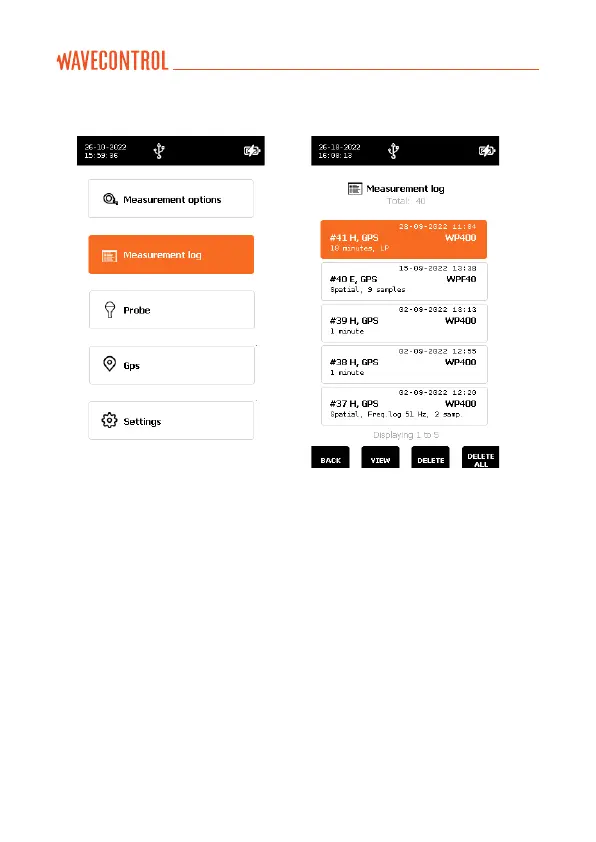
5.5. MEASUREMENT LOG screen
This screen shows all the available
measurements. Each measurement
is assigned to a unique measurement
ID. The arrows are used to
select the next measurement or the
preceding measurement. The
arrows are used to select the
next page or the preceding page.
From this menu you can use
the “VIEW” virtual button to
view a specific measurement
(by pressing “OK”), “DELETE” to
erase a single measurement, or
“DELETE ALL” to erase all the
memorised data (this is the same
as “Erase all measurements” on
the “MEASUREMENT OPTIONS”
“ERASE MEMORY” “Erase all
measurements” screen).



 To Next Page