• Average interval: used to select the time interval for calculation of the
average. The available intervals are 10 s, 15 s, 30 s, 1 min, 2 min, 5 min,
6 min, 10 min, 15 min and 30 min.
• Spatial average: choice between a single temporal log or several spatial
measurements that will be represented in a column graphical chart (see
6.1.4).
• Wait time before start: delay before the measurement really starts (it allows the
technician to separate himself from the
equipment). Available values are No delay, 5 s, 10 s, 15 s, 20 s, 30 s, 1 min.
NOTE: In the SMP3, seconds are displayed as “ and minutes as ‘.
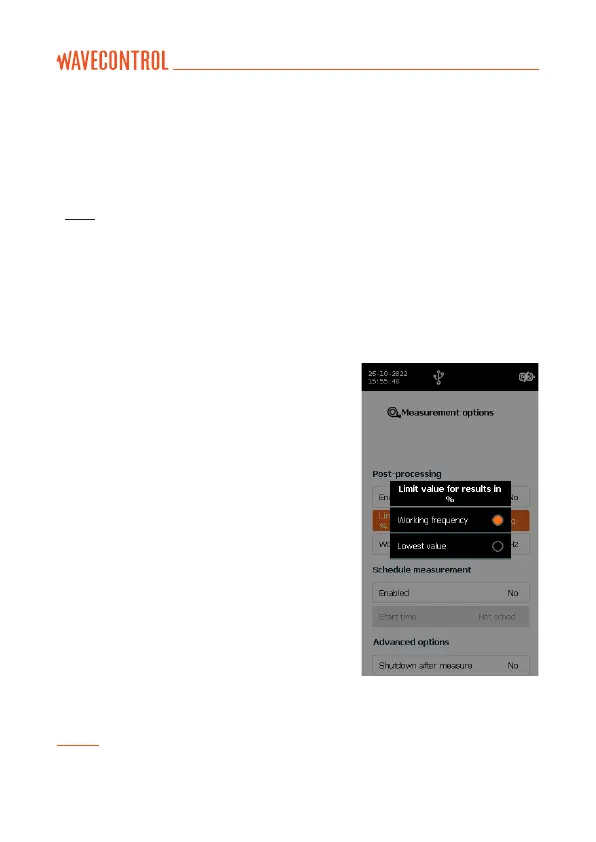
POST-PROCESSING
This menu is only available with broadband
probes that have correction factors in
memory. It has 3 parameters:
• Enable correction: allows correction of
the value measured at a given frequency
(“Working frequency” defined below)
using the factors measured during the
latest laboratory calibration.
• Limit value for results in %: allows direct
reading of the field as a % of a limit defined
on the main measurement screen. This is a
software calculation taking the limit value
in V/m and comparing it with the reading
from the probe. You can select the lowest
limit (minimum value) of the regulation
(within the band width of the probe) or a
specified frequency (“Working frequency”
defined below).
Note: If the minimum value is selected, no working frequency can be defined and
therefore the correction factors cannot be activated.



 To Next Page