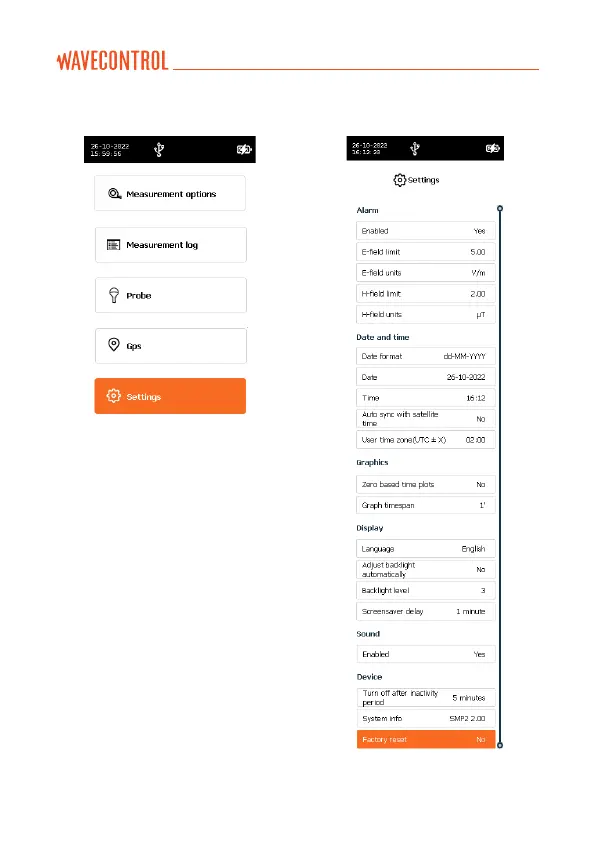
5.8. SETTINGS screen
This screen has the same layout and
behavior as the “MEASUREMENT
OPTIONS” screen. It allows to modify
the general parameters of the SMP3.
The following parameters can be
configured:
ALARM
Allows to activate or deactivate the
alarm. When activated, you can define
the alarm threshold and units for
electric and magnetic field (the
arrows are used to select the figure to
be changed and the arrows are
used to change the figure value).



 To Next Page