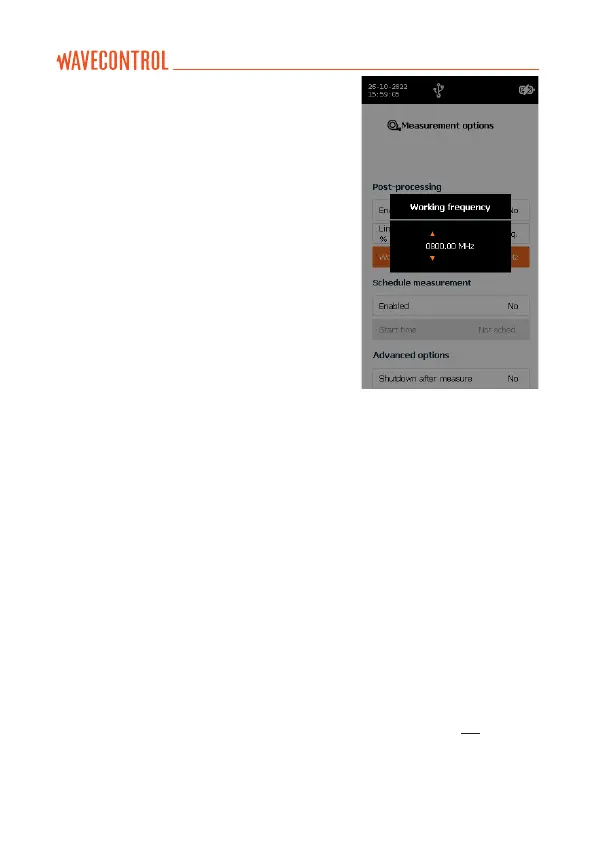
• Working frequency: allows definition of the
working frequency for correction factors or
for calculation of the value as %. Where the
lower limit of the regulation is selected, this
parameter will show as “Not available”, since
it is not compatible with that selected mode.
SCHEDULE MEASUREMENT
Allows to program a scheduled
measurement in the following 24 hours.
• Enabled: Yes/No
• Start time: sets a start time. If the unit is
off, it will go on at the programmed time
and will run the measurement.
ADVANCED OPTIONS
• Shut down after measurement: useful option to power off the unit when
measurement is done. It avoids having to wait to power off the unit manually.
• Printscreen on last sample: allows to take a screenshot at the end of
the measurement. When performing, for example, a 6-minute average
measurement, this last sample screenshot will show the final average result.
This image will be available for reporting with the SMP Reader software.
• Save measurement name: permits to save a name for each measurement.
In case it is activated, a pop-up will appear before the measurement starts
in order to indicate a name.
ERASE MEMORY
• Delete all measurements: will delete all measurements as well as all the
screenshots related to these measurements. Depending on the number
of data in memory this operation may last some time. We recommend
you avoid overloading the built-in memory, so that the device can work
more smoothly. To erase measurements selectively, see section 5.5.



 To Next Page