5.6. Probe information
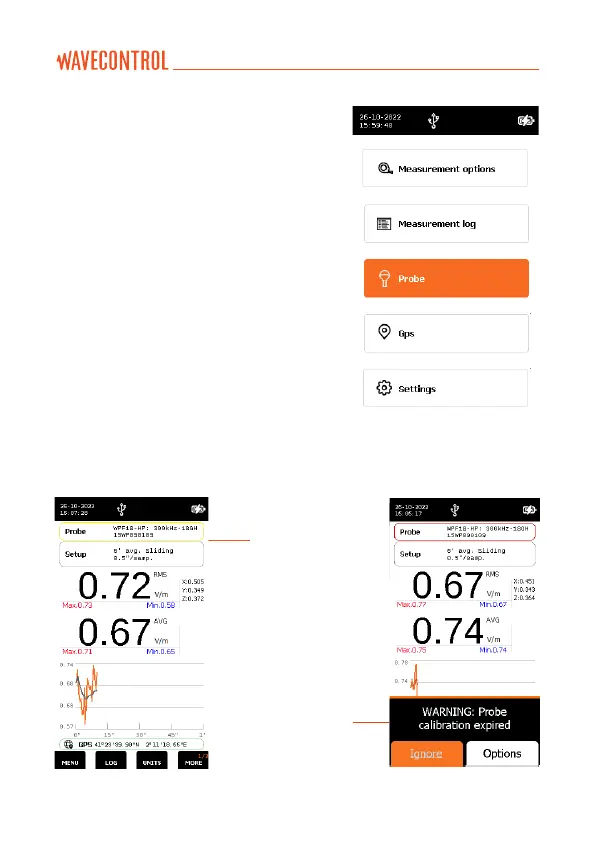
This screen allows you to see
information about the probe, activate or
deactivate the calibration warning and
configure calibration details in case of
3rd party calibration.
When your calibration is less than a
month to expire, you will notice a colour
indication in the probe information bar.
In the case of red, this means your
probe calibration has expired (see
screenshot 2 below). A warning will be
shown on the screen at most once a day,
with “Ignore”
and “Options”. Select “Options” to go to the
Calibration option directly or “Ignore” to
close the message.
Information bar
Warning message
Screenshot 1 Screenshot 2



 To Next Page