• UNITS: change the current units (this will reset the min, max, average and
graph). With the up and down arrow you can select the unit. By pressing
“OK” the highlighted unit will be selected.
• RESET: it resets the min, max, average and graph.
• Keypad Arrows in frequency mode:
• Right-left arrows shift the cursor by one step.
• Up-down arrows shift the cursor to the next right or left peak found in the FFT.
Note: when there are more than four functions available, the button on the right allows
to show more functions available.
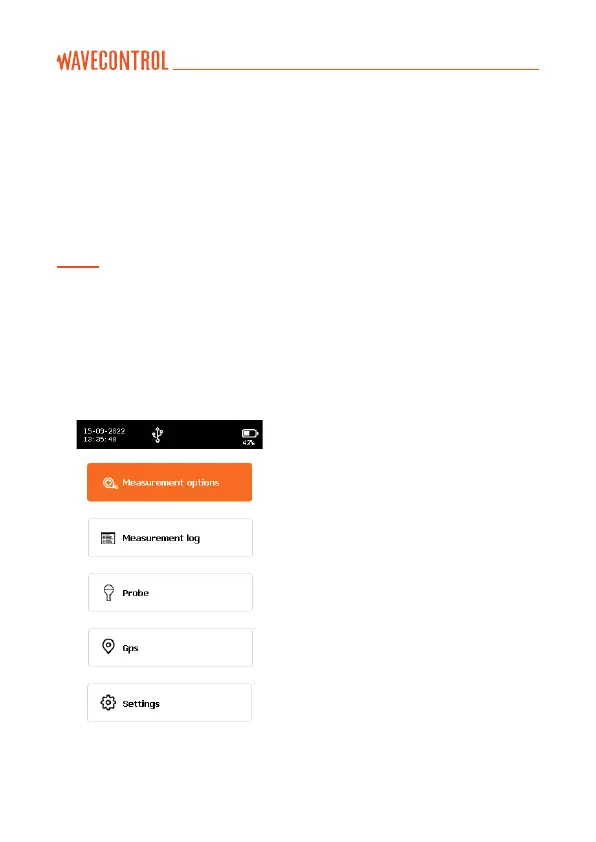
5.3. Menu screen
This is the main screen to access sub menus.
• MEASUREMENT OPTIONS: allows
to change all the parameters
related to measurement.
• MEASUREMENT LOG: allows to
see the stored measurements.
• PROBE: allows to manage probe
calibration.
• GPS: allows to change GPS
parameters.
• SETTINGS: allows to change
general parameters of the unit.
• MESSAGES: in case some events
are available this menu will appear.



 To Next Page