2. Check and Connect the WAZER Pro Power Cable Receptacle.
We understand not all facility or workshop have the plug-matching receptacles, or the exisitng
receptacles are not providing the reqired AC power setting. Some Electical work may be necessary
before your WAZER Pro can be installed. Make sure Single Phase 230VAC, 50Hz is supplied to WAZER
Pro (50Hz); Split-Phase 230-240VAC 60Hz is supplied to WAZER Pro (60Hz).
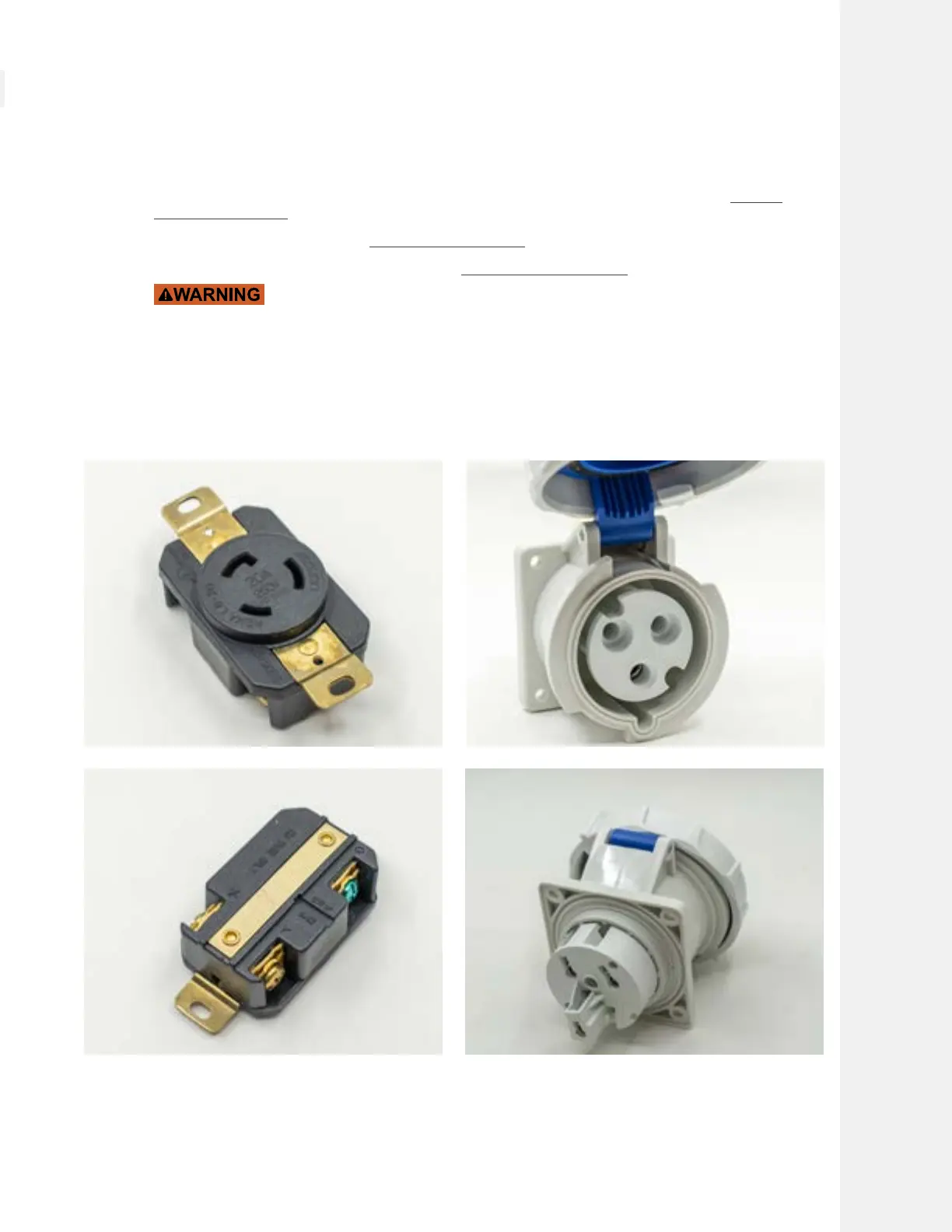
We include the corresponding receptacle to the plug type of the WAZER Pro you purchased. Contact
a licensed electrician to test your AC power system, and install the receptacle to the place you want.
• NEMA L6-20 Receptacle is for Split Phase 230vac 60Hz WAZER Pro Plug
• IEC 60309, SERIES II, 2P + E Receptacle is for Single Phase 230vac 50Hz WAZER Pro Pug
The receptacle installation is a very technical task and can only performend
by licensed electricans. Do not attempt to install the receptacle yourself, or have unlicensed
personnel perform the task. Incorrectly connected receptacle may destory WAZER Pro, cause
property damage, bodily injury or even death.
Note 7 Pg.19
Setting Up WAZER Pro |
SECTION 4
41



 To Next Page