Finishing
Cut Quality
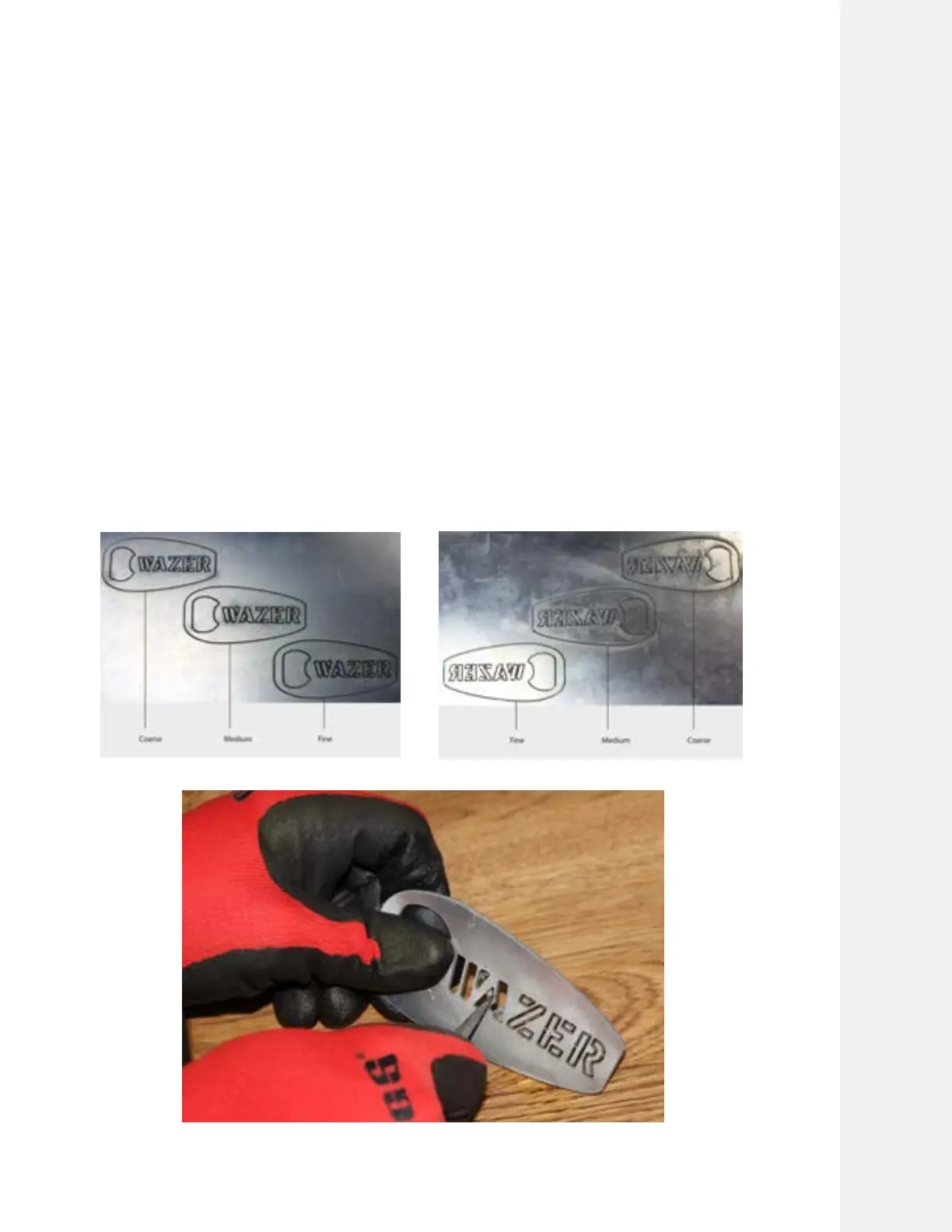
Cut quality on WAZER Pro is a function of the Cut Rate. A Fine Cut (slower Cut Rate) will result in a
smoother surface along the edge, whereas a Coarse Cut (faster Cut Rate) will result in a rougher
surface along the edges.
As a reference guide, the illustration provided shows approximately what to expect at three
different levels of available Cut Quality.
Remove the Tabs
Tab removal refers to the activity of removing your desired Part and the remainder of the scrap
Material by breaking the small tab between them. To do this, wear protective gloves and use a
blunt tool or set of pliers to bend the pieces until the Tabs break.
Deburr your Part
Parts may be sharp immediately after cutting. It may be required to remove a sharp edge on the
bottom side of the Part. We have included some basic tools like a set of small pliers, a file, and
deburring tool in the black toolkit that came with your machine. These will aid you in cleaning up
some of these cut imperfections.
Cutting With WAZER Pro |
SECTION 5
59



 To Next Page