Added Features on WAZER Pro
If you have some prior experiences with WAZER Base, WAZER V1.5 or WAZER V1.0, you will find
WAZER Pro operation fairly similar. A lot of the key learning points from WAZER Base Workflow can
be directly applied to WAZER Pro operation.
However, there are some added features implemented on WAZER Pro that will greatly improve
your user experience and work efficiency. We recommend your getting familiar with those added
feature and use them in daily routine.
1.
Quick Drain Function
The Quick Drain function is designed to improve the user experience by allowing the users to
drain water with a dedicated button. This function enables the users to lower the water level
for servicing items in the tank or to gain better visibilty to the material during cutting. The
users can activate this function while the WAZER Pro is in Home Screen or during a cut.
2.
Dump Pump Addition
In WAZER Base, WAZER V1.5 and WAZER V1.0, the Low Pressure Pumps take charge of Used
Abrasive collection and Drainage. WAZER Pro uses a dedicated Dump Pump to pump the
excess water out, and 2 other Low Pressure Pumps just for the Used Abrasive collection. The
specialization of tasks increases the overall performance and sytem reliabliity.
3.
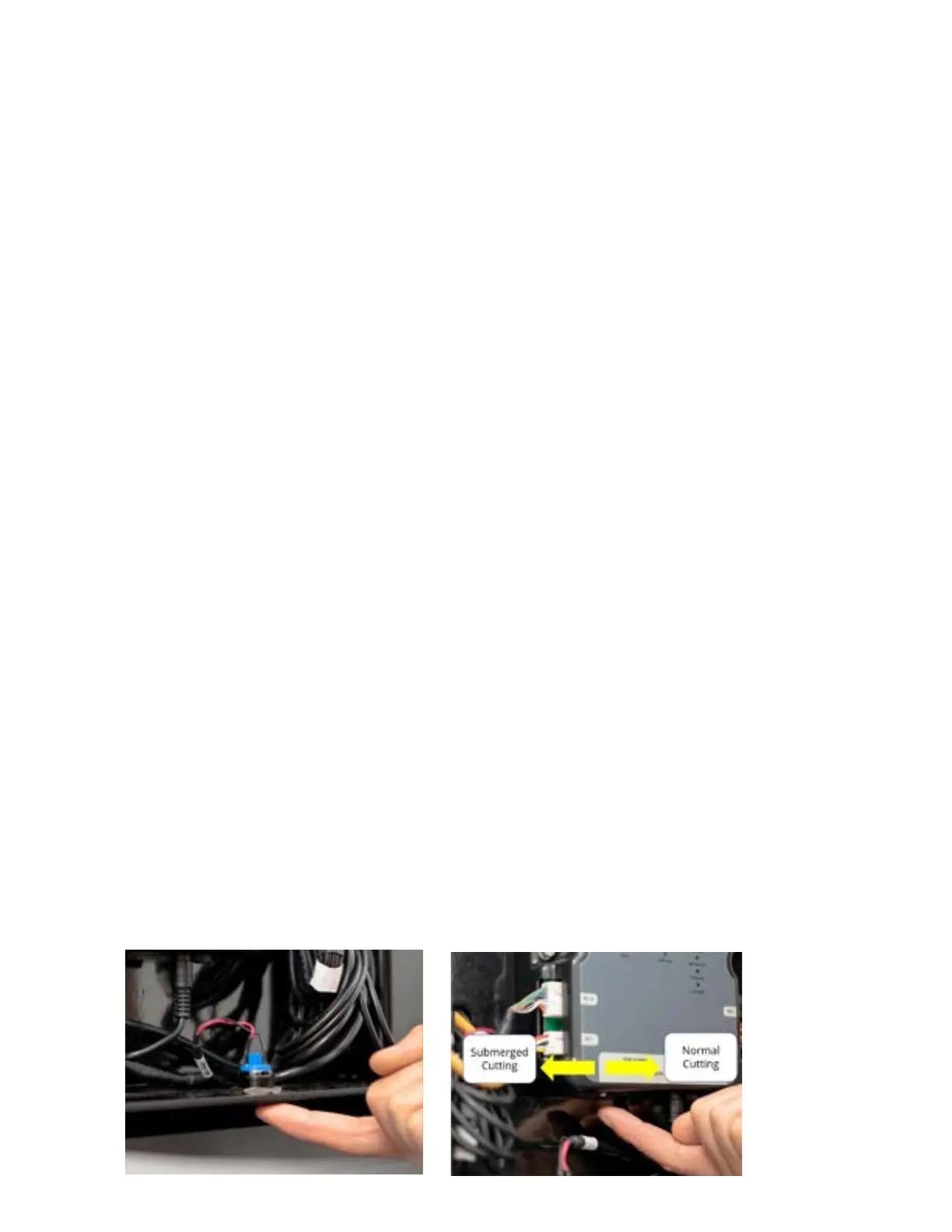
Submerge Cutting Function
The Submerge Cutting Function allows the cut job being performed either above or below the
water, based on user’s preference. Cutting under water results in a huge decrease in noise
level; cutting above water allows the user to monitor the progress.
The selection of Above-Water Cut or Submerged Cut is achieved by a small switch under the
controller. When the small switich is flipped to the front, Submerged Cut is selected; if to the
rear, Above-Water Cut is selected. Change of state must be completed before switching on.
4.
Backflow Detection
One of the most common machine error is abrasive hose water backflow. WAZER Pro
incorporates backflow detection sensor in the Abrasive Hose. As soon as backflow occurs,
the sensor detects ingression of water and prompts controller to pause the operation. This
allows the customer to fix the machine error immediately and decrease the effort to address
possible implications.
5.
Low Pressure System Purge Function
Used Abrasive Collection is further faciliated in WAZER Pro by the help of Low Pressure
System Purge. Hoses and actuators are implemented to regularly bring fresh water from
the water supply. The fresh water cleans the low pressure plumbings and boosts the used
abrasive collection performance. Refer to our support section for more information.
62



 To Next Page