12
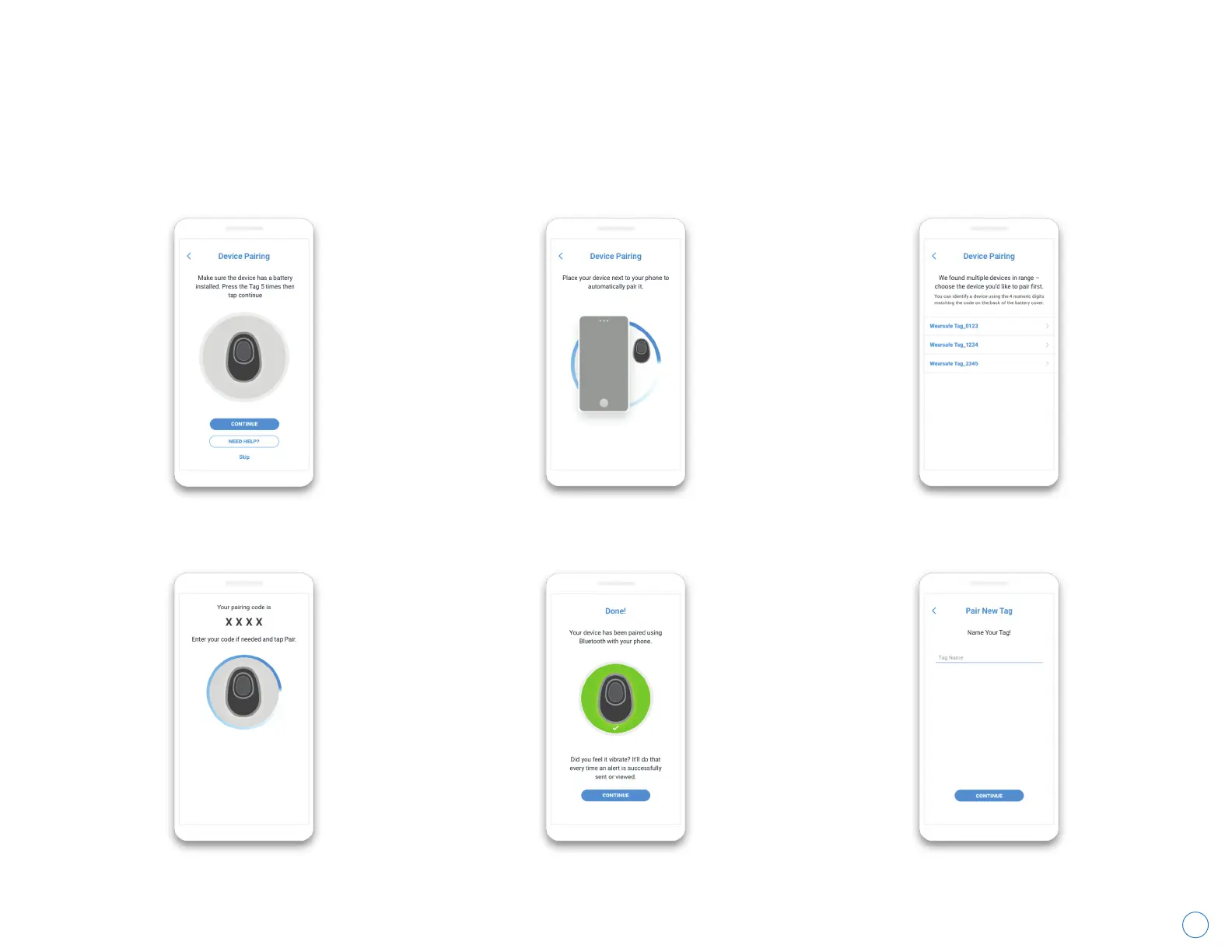
Activating and Pairing Your Wearsafe Tag
Press your Tag 5 times, then tap “Continue”. Place your Tag next to your phone. There is a 4 digit code for each Tag printed on the inside
of its battery cover. Use this code to identify your Tags.
A 4 or 6 digit code will appear on screen. If
requested, enter that code to continue pairing.
Your Tag is paired! Tap “Continue”. Choose a name for your Tag and tap “Continue”.
If you don’t have any Wearsafe Tags, continue to the next page. If you do, tap the Menu button, then tap “Devices” and
follow the instructions in the Wearsafe App to pair your Tag to your phone. It is recommended that you use a new
battery with 100% life to pair your Tag, as your Tag may need to update after pairing.
Wearsafe User Manual



 To Next Page