8
Wearsafe User Manual
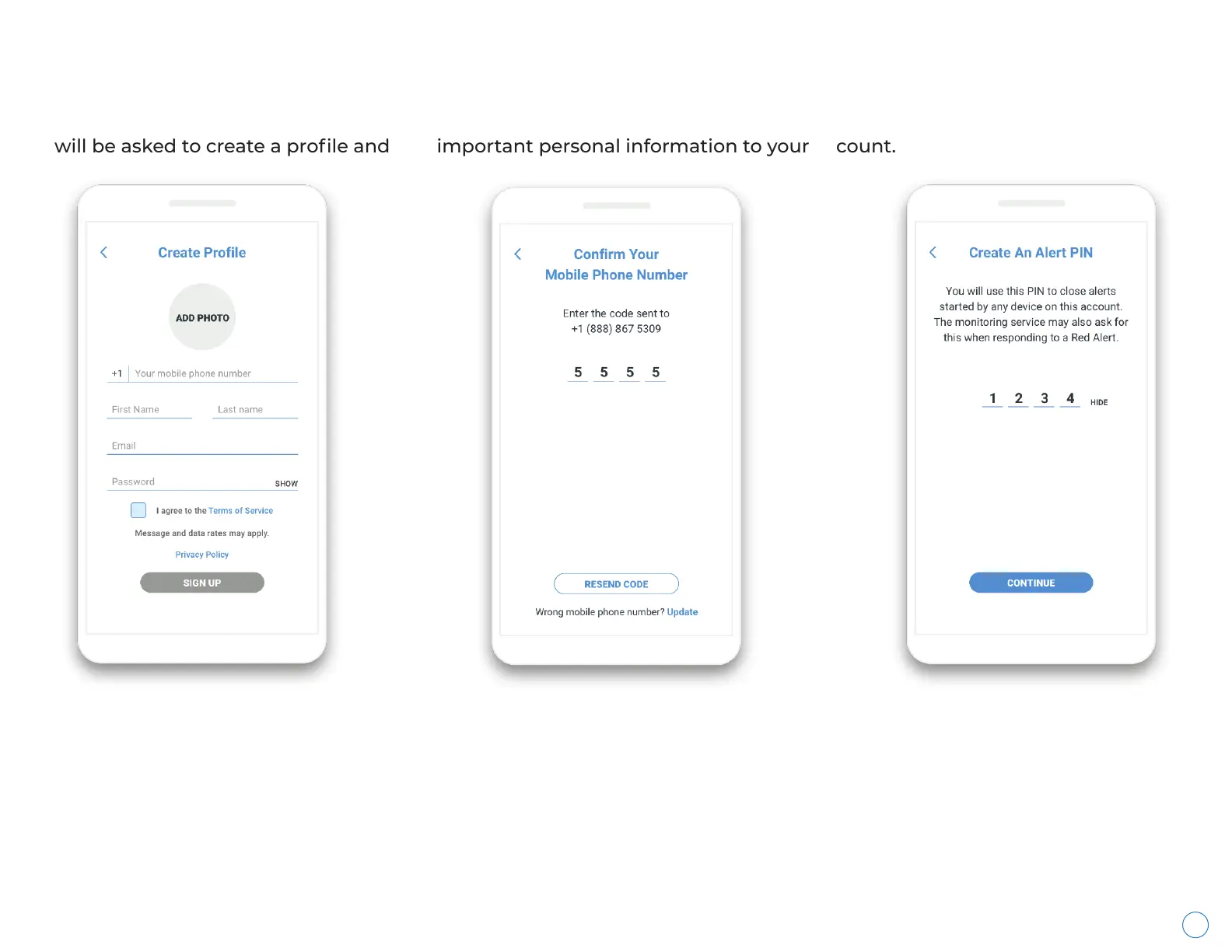
Everyone that uses Wearsafe services to send alerts has an account. When you first start using the Wearsafe App, you
will be asked to create a profile and add important personal information to your account.
Creating An Account
Create your profile by entering
your mobile phone number
(this number must be able to
receive SMS messages), first
name, last name, email
address, adding a photo
(optional), and choosing a
password. Agree to the Terms
of Service, then tap “Sign Up”.
You will receive a 4-digit
confirmation code in an SMS
message. Enter the code on
this screen, then tap Done. If
you did not receive a code, tap
on “Resend Code” or update
your mobile number.
On the last account setup
screen, create a 4-digit
PIN. This PIN is used to
securely close Red Alerts
when it is safe.



 To Next Page