31
Wearsafe User Manual
Sending Alerts with Smart Watches
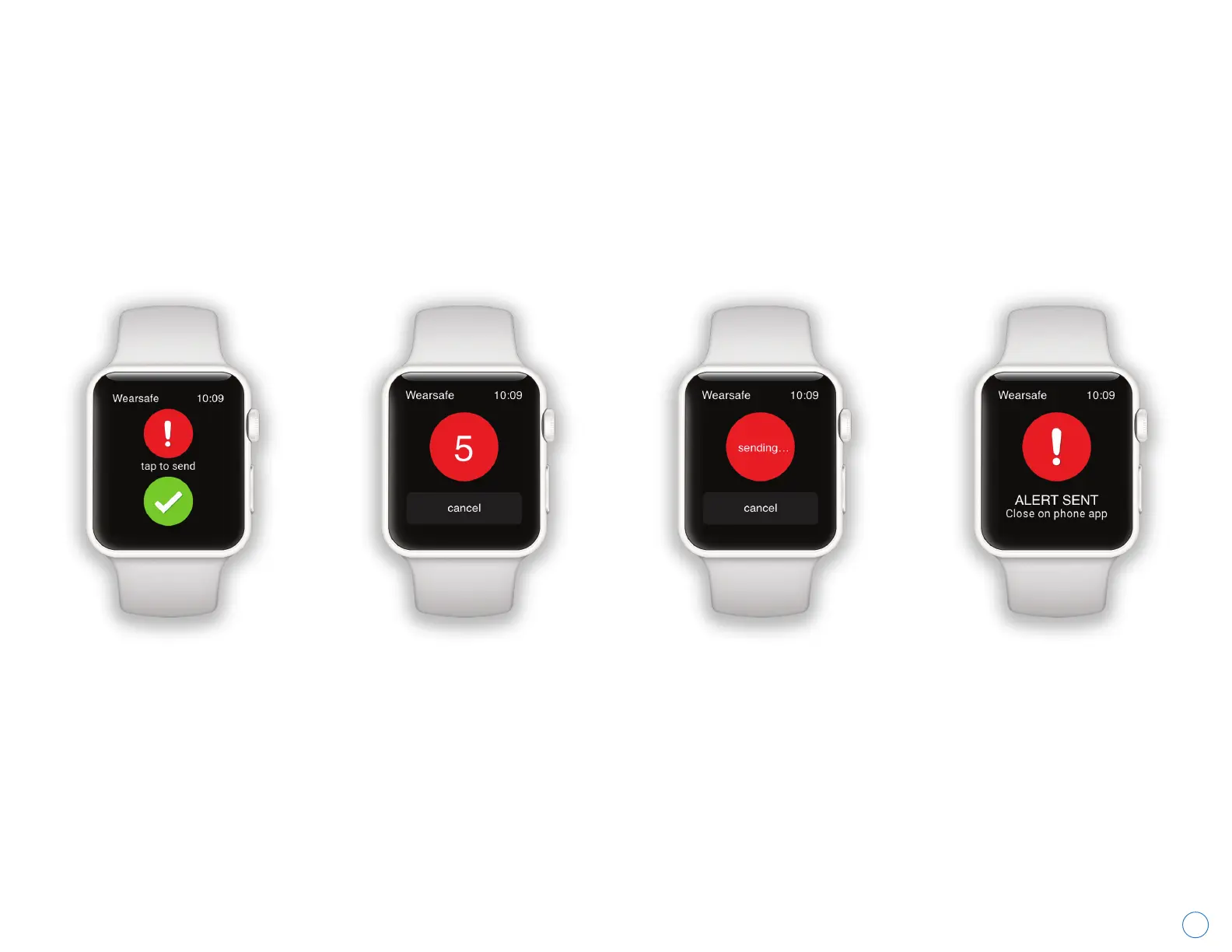
If you own a smartwatch using Wear OS or an Apple Watch, you can use your watch to send Check-ins and Red Alerts,
either by opening the Wearsafe App on your watch or using the Wearsafe complications on your watch face. Sending
alerts with the Wearsafe App from your watch is the same for
watchOS and Wear OS. Simply open the Wearsafe App
on your watch and tap either the “Check-in” or “Red Alert” button. If you prefer to send alerts using complications on
your watch face, you will tap the green Check-in or red Red Alert complication on the watch face to open the
Wearsafe watch app and immediately send that type of alert. To set up your smartwatch, go to page 17 for Wear OS
watches or pages 18-19 for Apple Watch.
After opening the
Wearsafe App on
your watch, tap the
“Check-in” or “Red
Alert” button to
initiate the alert.
If you opened a Red
Alert, a countdown
timer will begin. If you
opened a Check-in, it
will be sent instantly.
After the Red Alert
timer finishes, your
Red Alert will be sent.
Check-ins have a
similar screen telling
you it is being sent.
The App will notify you
when your Red Alert or
Check-in is sent. If you
opened a Red Alert, you
will need to use your
phone to close it once
you are safe.



 To Next Page