21
Enabling Siri Voice Activation for Your iPhone
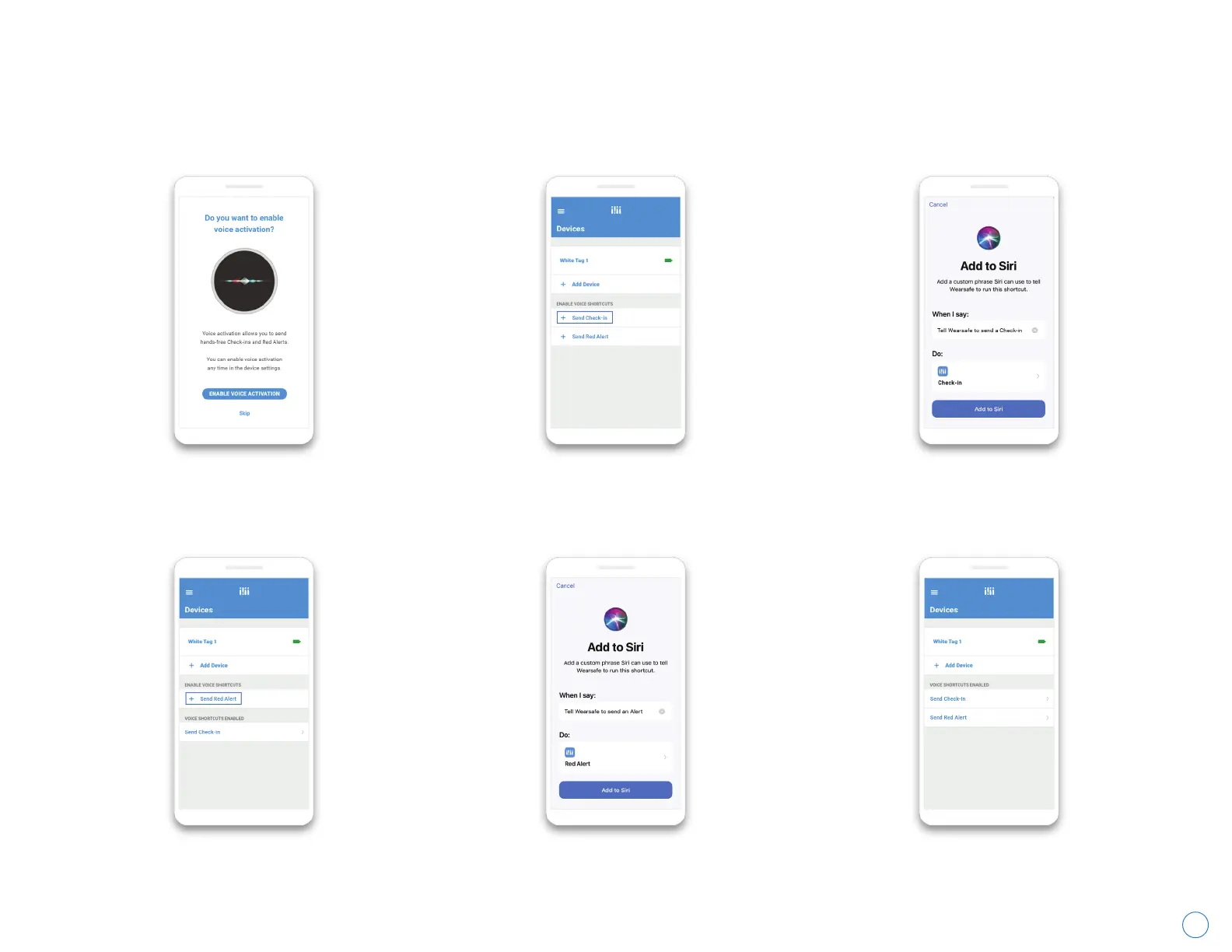
If you would like to be able to send alerts using your voice, follow the instructions below. If you don’t see the first
screen during account setup, you can find the second screen from the main menu by tapping “Devices”.
Wearsafe User Manual
Tap “Enable Voice Activation”.
Tap “Send Check-in” under the section
labeled “Enable Voice Shortcuts”.
Tap “Send Red Alert” under the section
labeled “Enable Voice Shortcuts”.
Use the default or choose your
preferred phrase for sending Red
Alerts, then tap “Add to Siri”.
When done, both shortcuts
will show as “enabled.”
Use the default or choose your preferred
phrase for sending Check-ins, then tap
“Add to Siri”.



 To Next Page