32
Wearsafe User Manual
Responding to Alerts
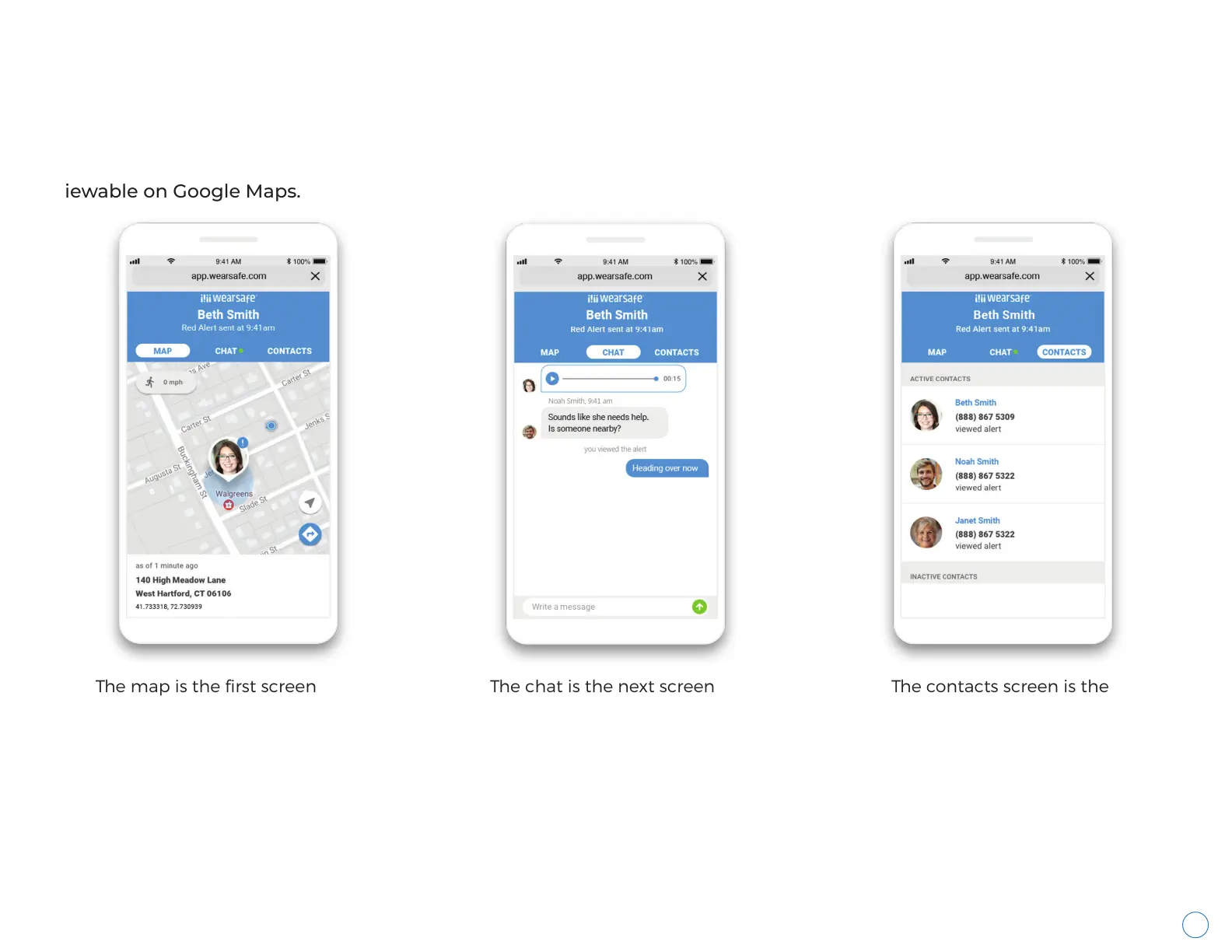
Alerts can be viewed in web browsers and the Wearsafe App. All Contacts use the Wearsafe browser interface from
the one-time links emailed and texted to them. Red Alerts offer a map with real-time GPS tracking, chat coordination
and a list of all Contacts notified about the alert. Check-ins offer a one-time, non-updating location of the user
viewable on Google Maps.
The map is the first screen
shown to Contacts viewing a
Red Alert. Red Alerts offer
real-time GPS tracking, so the
user’s location will continually
update. A pinned location on a
map screen is the only display
for Check-ins, sharing the
location of the user at the time
they sent the Check-in.
The chat is the next screen
available for Red Alerts. Here,
Contacts can coordinate how
best to help the user. This
screen is not available for
Check-ins.
The contacts screen is the
last screen available for
Red Alerts. It lists all
Contacts notified of the
Red Alert and shows
whether they viewed the
Alert online. This screen is
not available for
Check-ins.



 To Next Page