23
Enabling Google Assistant Devices
You can link your Wearsafe account to your Google Account to send Check-ins and Red Alerts using Google Assistant
voice commands. Follow these steps to link your accounts, then check page 30 of this manual to see how to send
alerts.
Wearsafe User Manual
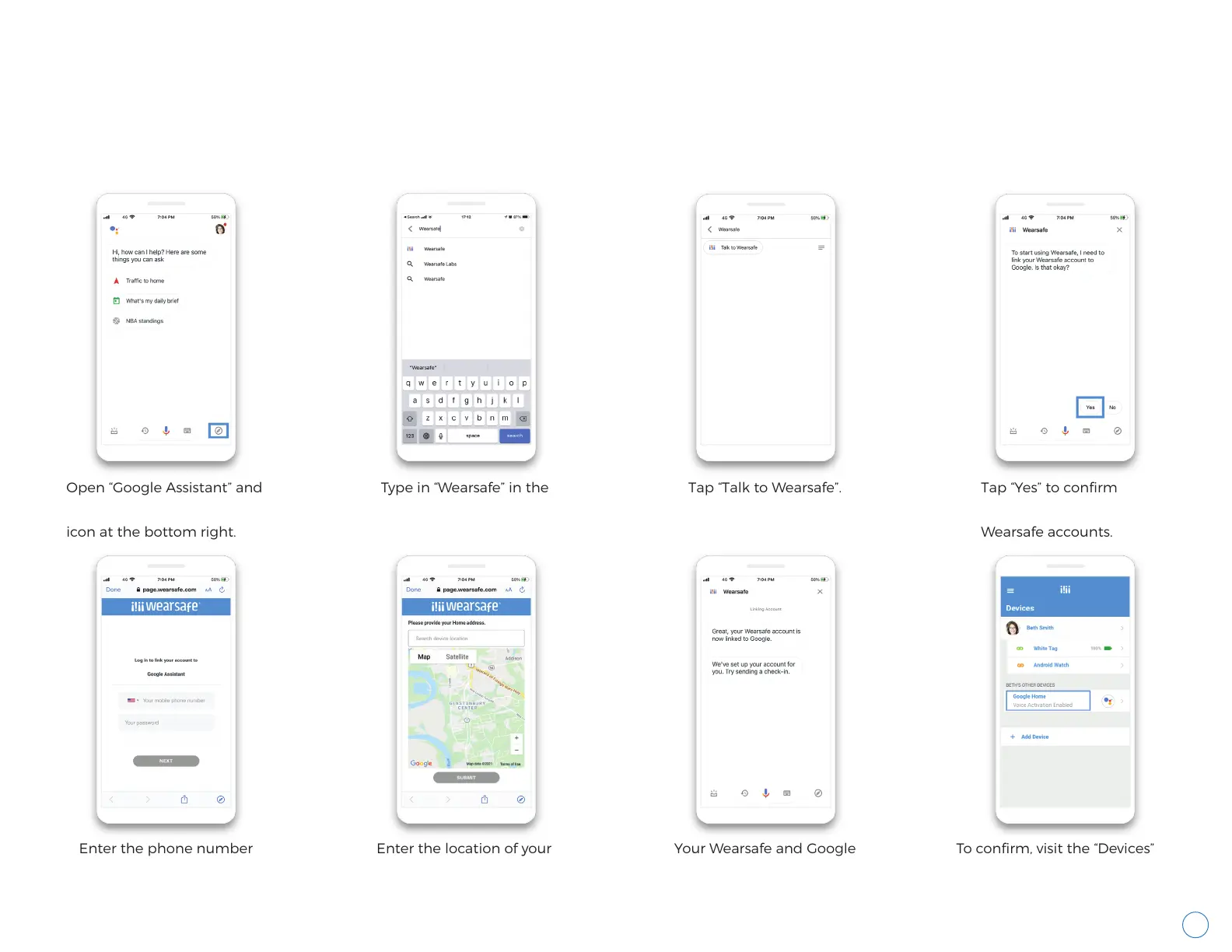
Open “Google Assistant” and
tap the Explore compass
icon at the bottom right.
Enter the phone number
and password for your
Wearsafe account.
Enter the location of your
Google Home device.
Your Wearsafe and Google
Accounts are now linked.
To confirm, visit the “Devices”
page of the Wearsafe App. Your
Google Account should be
listed with your other devices.
Type in “Wearsafe” in the
search bar.
Tap “Talk to Wearsafe”. Tap “Yes” to confirm
linking your Google and
Wearsafe accounts.



 To Next Page