27
Wearsafe User Manual
Sending Alerts with the Wearsafe App
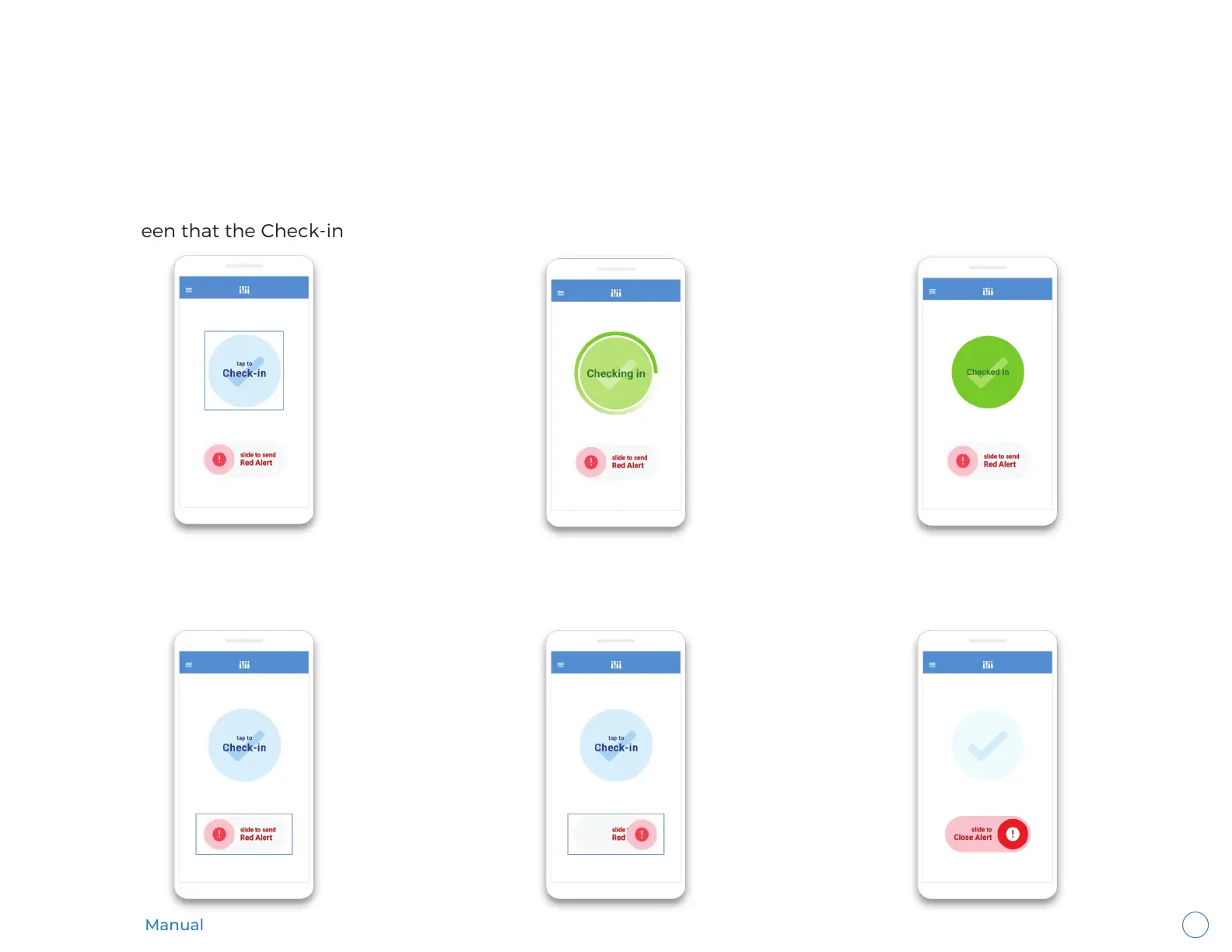
How To Send a Check-in
Tap the “Check-in” button on the home screen. A Check-in will be sent immediately. You will see the confirmation on the
home screen that the Check-in was sent and receive a push notification.
How To Send a Red Alert
Slide the “Red Alert” button on the home screen to the right. A Red Alert will be started immediately. The alert slider will
turn red and you will receive a push notification to confirm the Red Alert was activated.
You are able to send both types of alerts from the main menu of the Wearsafe app. Tap the Menu button and then tap
“Home”.



 To Next Page