33
Closing Alerts
Active Red Alerts must be turned off by closing the alert when it is safe. Check-ins automatically and immediately
close once location information is sent to your Alert Contacts. They do not link Alert Contacts and the user to an
active, ongoing alert that updates the location with real-time GPS like Red Alerts.
Wearsafe User Manual
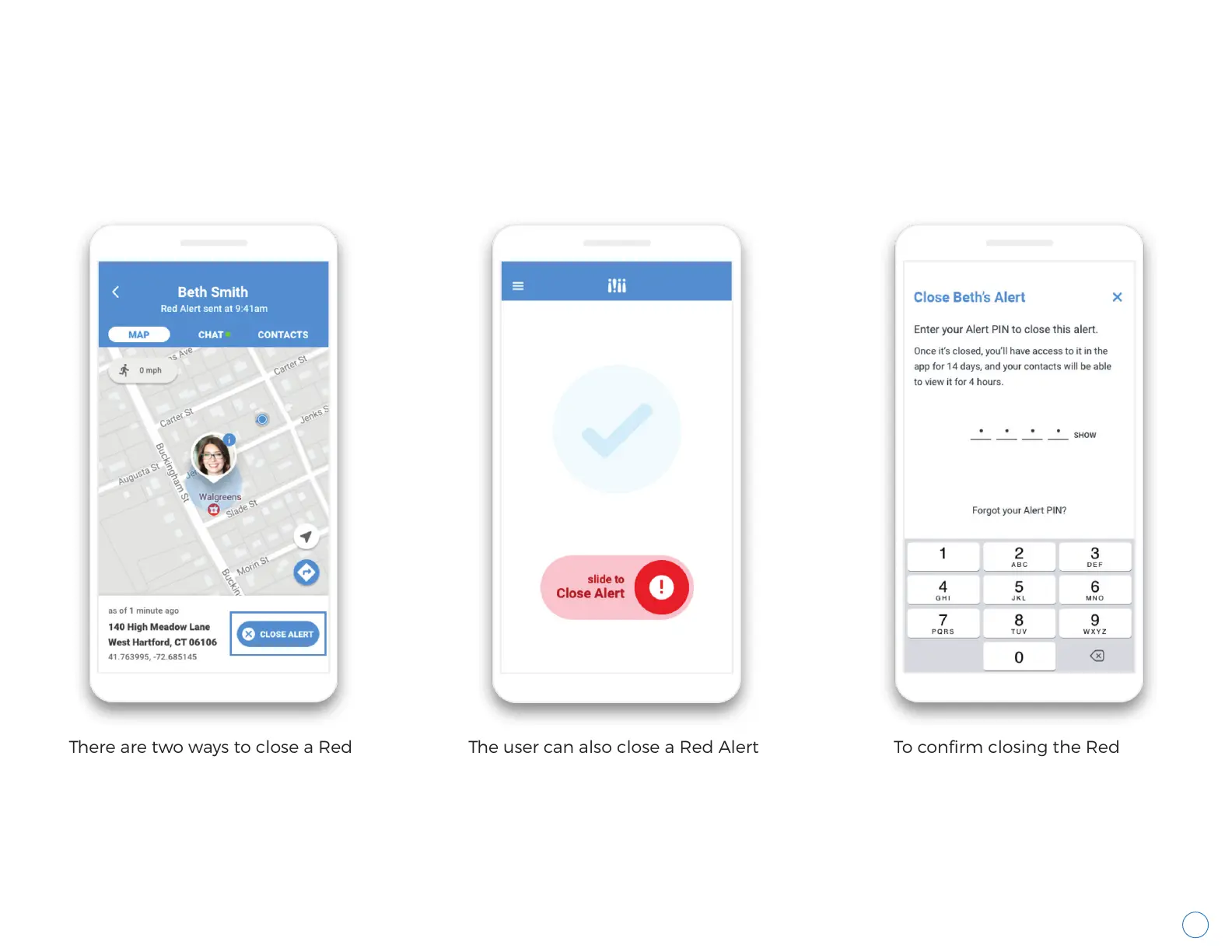
There are two ways to close a Red
Alert. The user can open the alert
in the Wearsafe App and tap the
"Close Alert" button in the bottom
right of the Map screen. Contacts
will not see this button, as shown
on page 32.
The user can also close a Red Alert
by going to the home screen in
the Wearsafe App and sliding the
Red Alert slider to the left.
To confirm closing the Red
Alert, the user must enter
their Alert PIN. For more on
Alert PINs, see page 5.



 To Next Page