15
Inviting Contacts
You can add as many alert Contacts as you want. You can also choose which types of alerts they will receive, whether
they are Check-ins, Red Alerts, or both.
Wearsafe User Manual
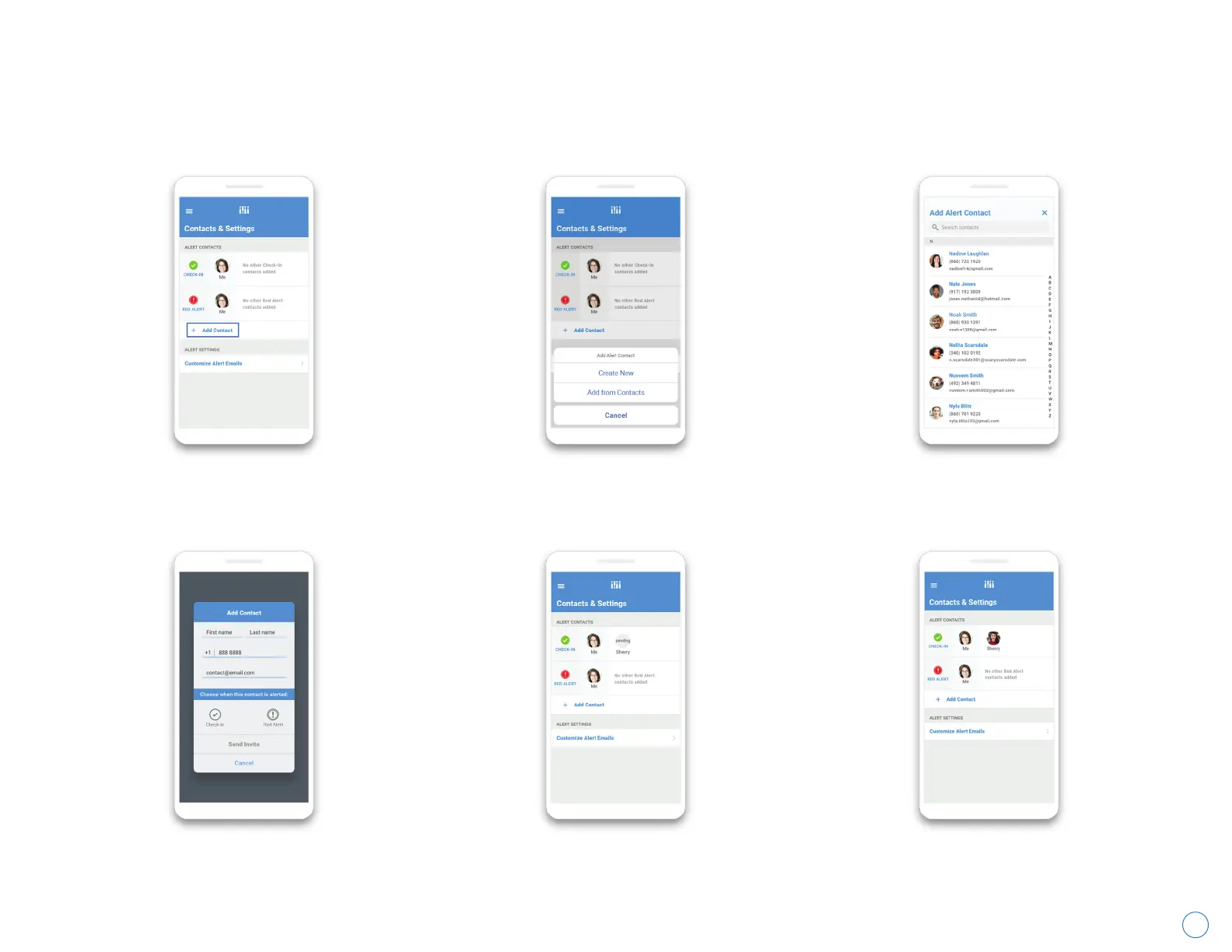
If you are adding an alert Contact who
is already in your phone, tap “Add from
Contacts”. If not, tap “Create New”.
Choose your desired contact from your
address book. If you are adding a brand
new Contact, skip this step.
Fill in all of the information and choose
whether this person is to receive only
Check-ins, only Red Alerts, or both.
Wearsafe will send a request to receive
alerts from you to your new Contact. Until
they accept it, their icon will say “pending”.
When your Contact agrees to receive alerts,
“pending” will disappear from their icon.
Repeat this process for everyone you wish
to be an Alert Contact.
Tap “Add Contact”.



 To Next Page