25
Customizing Check-in Messages
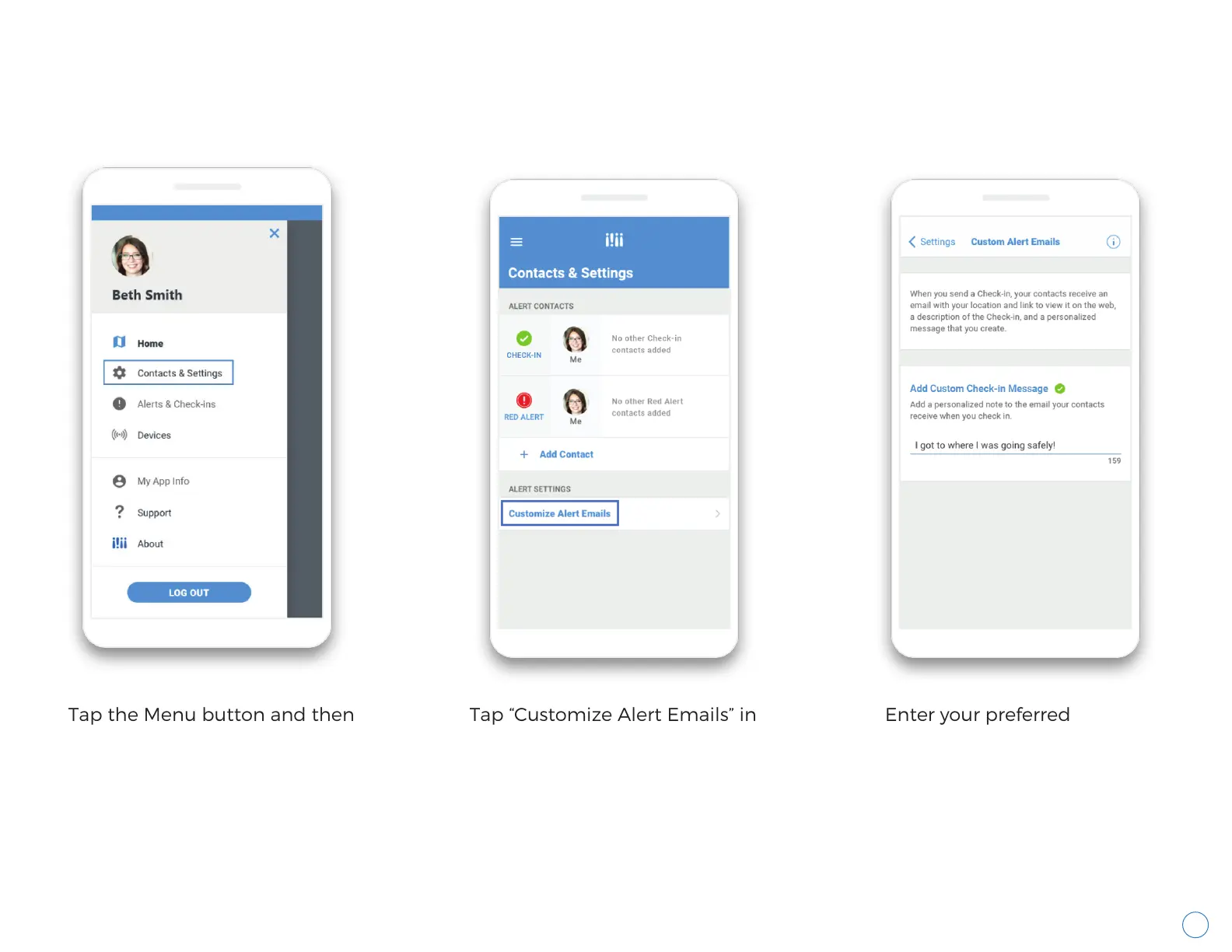
You can customize the message delivered to your Alert Contacts when you send them a Check-in.
Wearsafe User Manual
Tap the Menu button and then
tap “Contacts & Settings”.
Tap “Customize Alert Emails” in
the section for “Alert Settings”.
Enter your preferred
Check-in message, then tap
the “Settings” button in the
top left to exit this screen.



 To Next Page