EasyManua.ls Logo

Wearsafe Tag - Page 19

Default Icon
37 pages
Print Icon
To Next Page IconTo Next Page
To Previous Page IconTo Previous Page
Loading...
19
Pairing Your Apple Watch (continued)
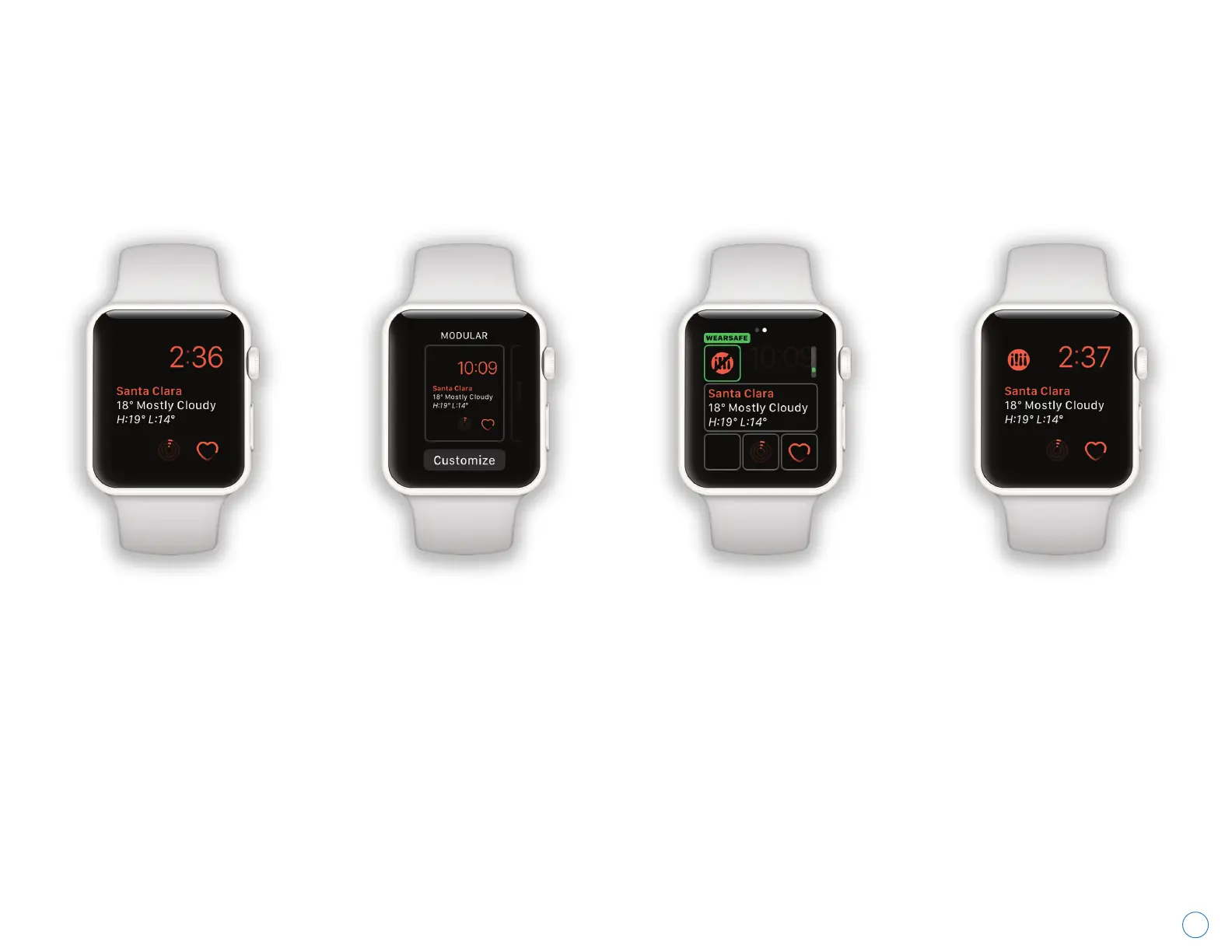
These steps explain how to add the Wearsafe complication to your watch face. After pairing your Apple Watch by
following the instructions on page 18, continue to the main screen of your watch. After this, check page 31 to see how
to send Alerts with your watch.
Wearsafe User Manual
Firmly press the watch
face display on your
Apple Watch to open the
customization menu.
Swipe left or right to
choose a face, then
tap the “Customize”
button.
Tap the complication
you want to change
to Wearsafe, then turn
the Digital Crown to
find the Wearsafe app.
To save your changes,
press the Digital Crown
and tap the watch face
to set it. Now you have
Wearsafe on your watch
face.