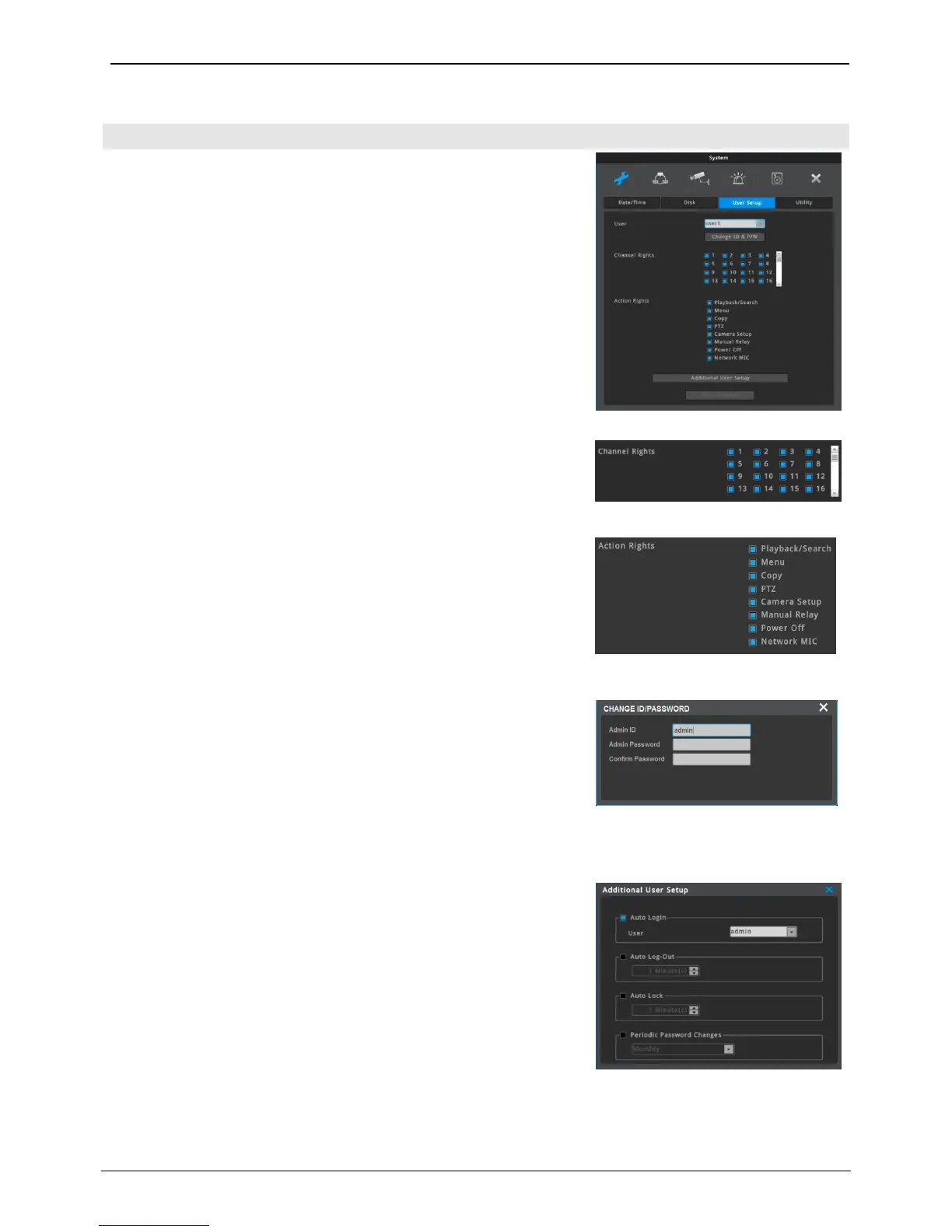
Menu System User Settings
NVR users will either be manager or user. Managers can use all
functions of NVR without limitation and can set up user settings. Up
to 10 users can be registered and each user can only use functions
for which they’ve been given access to.
A manager has an access to every channel.
A manager can give access to channels to each user.
“Admin” has the rights to all the functions.
The action rights to each function (Playback/Search, Menu, Copy, PTZ,
Camera setup, Manual Relay, Power off, Network MIC) can be given
by each user.
For User 1~10, max 20 and 8 characters are allowed for ID and
Password.
<reference>
Default manager Password is “12345” and for user 1 ~ 10, password will take
a pattern of “11111” for user 1, “22222” for user 2 and so on. So user 10
will have a password of “00000”.
Additional User Setup
• Auto Login On: Select a user that can be automatically logged in
when booting.
• Auto Login Off: Login popup will show up when beeting. Video can
be monitored after login.
• Auto Logout On: If there is no control of NVR during the selected
interval, NVR will be automatically logged out.
• Auto Logout Off: Auto Logout will not work
• Auto Lock On : Auto lock features is on if there’s no operation
during time set by user
• Auto Lock Off : It doesn’t use Auto lock feature
• Periodic Password Changes : User should change the password
within set period.



 To Next Page