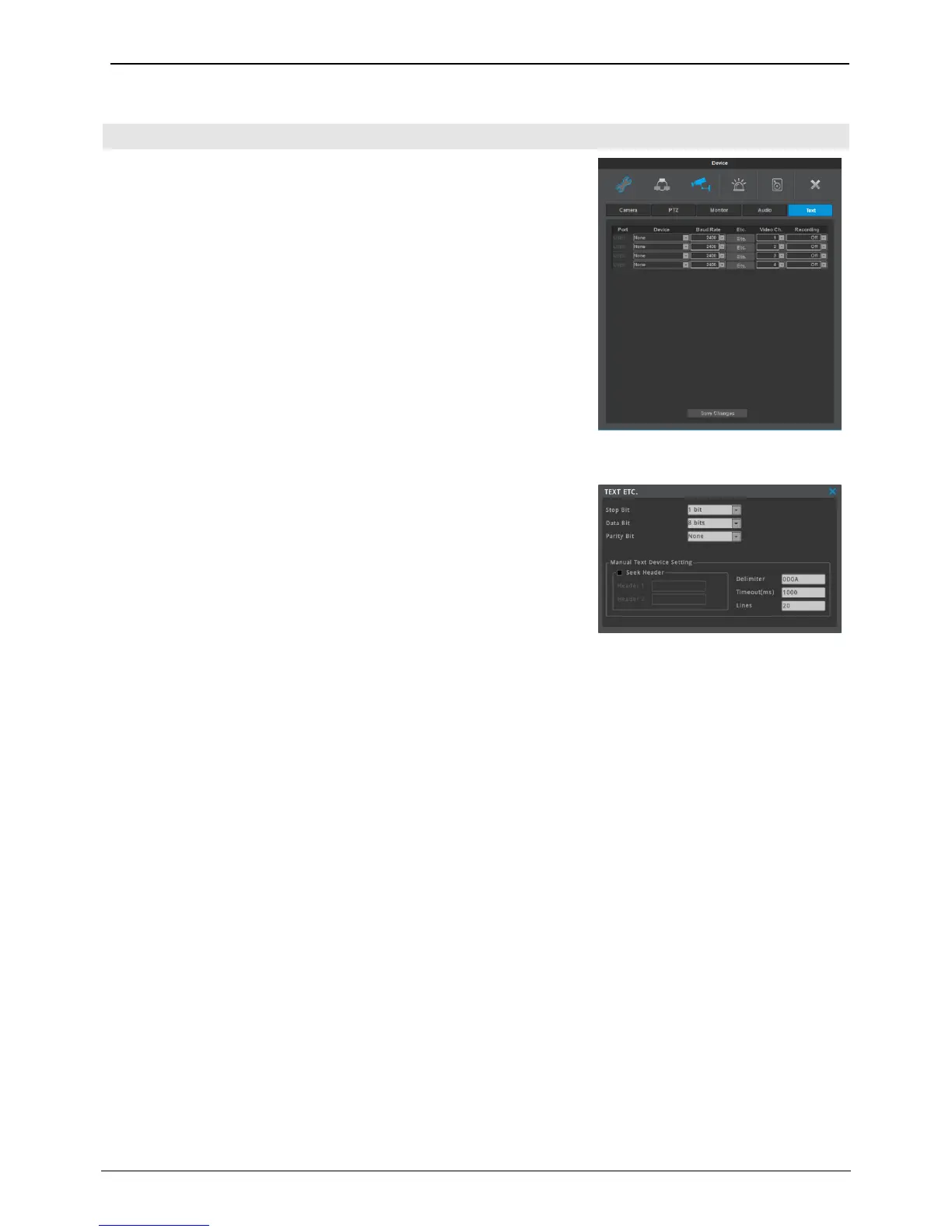
This menu is for configuring the device, baudrate, etc of text device.
Max 4 text can be connectable using USB to serial cable.
Recording
Set On/Off of recording of Text input.
Video Ch
Select channel to synchronize with text.
Device
Choose from Manual, Star Finger 007, VSI Pro, VSI Hydra for text input
device.
Baud Rate
Select baud rate of serial communication.
Etc. (Manual Text Device Setting)
User can manually set header/delimiter/lines/timeouts. These values
need to be exact and are different by devices, so please call the store
you purchased the device from or refer to that device’s manual.
Seek Header
If Text device is set manually and there is the text pointed out as
Header, it is regarded starting of text information from the relevant
letter. In case of not using Header, all text after Delimiter is regarded
as new text.
Delimiter
It is a constantly inserted info to search for the end of the line. If NVR finds delimiter, it will see the place
as the end of the line.
Timeout(ms)
Even if text line is not full, if there is no further information during ‘Timeout(ms)’, NVR deals with the text
information which is input from the device as one information.
Lines
It is to define how many lines single information has. For example, if user sets 30 lines, system recognize
binding 30 lines as a single information.
<Notice>
Please refer to technical support of manufacturer to use text function using USB to serial cable.
Star Finger 007 and VSI Pro can be used based on protocol already interfaced, others must be used in Manual.



 To Next Page